Removing the SP top cover
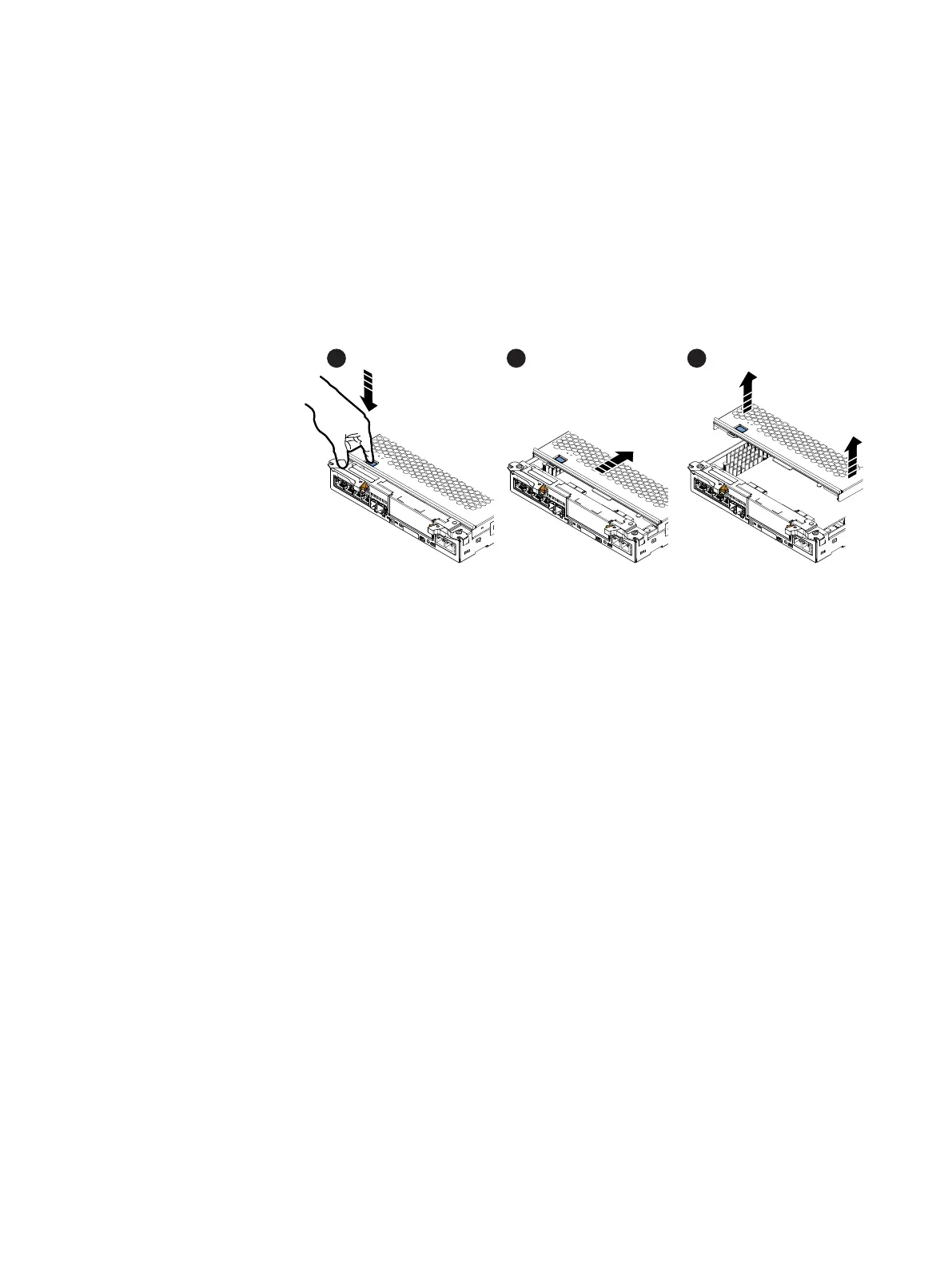
Refer to Figure 4 on page 8 while performing the procedure that follows.
Procedure
1. Press the blue button on the cover.
2. Push the cover straight back 1/4 inch.
3. Lift the cover up.
Figure 4 Removing the SP top cover
Removing the I/O module
Refer to Figure 5 on page 9 while performing the procedure that follows.
Procedure
1. Lift the blue latch carefully until it ejects the I/O module from the connector.
2. Lift the module out and away from the SP assembly and place it on a static free
surface.
8
EMC VNXe


 To Next Page