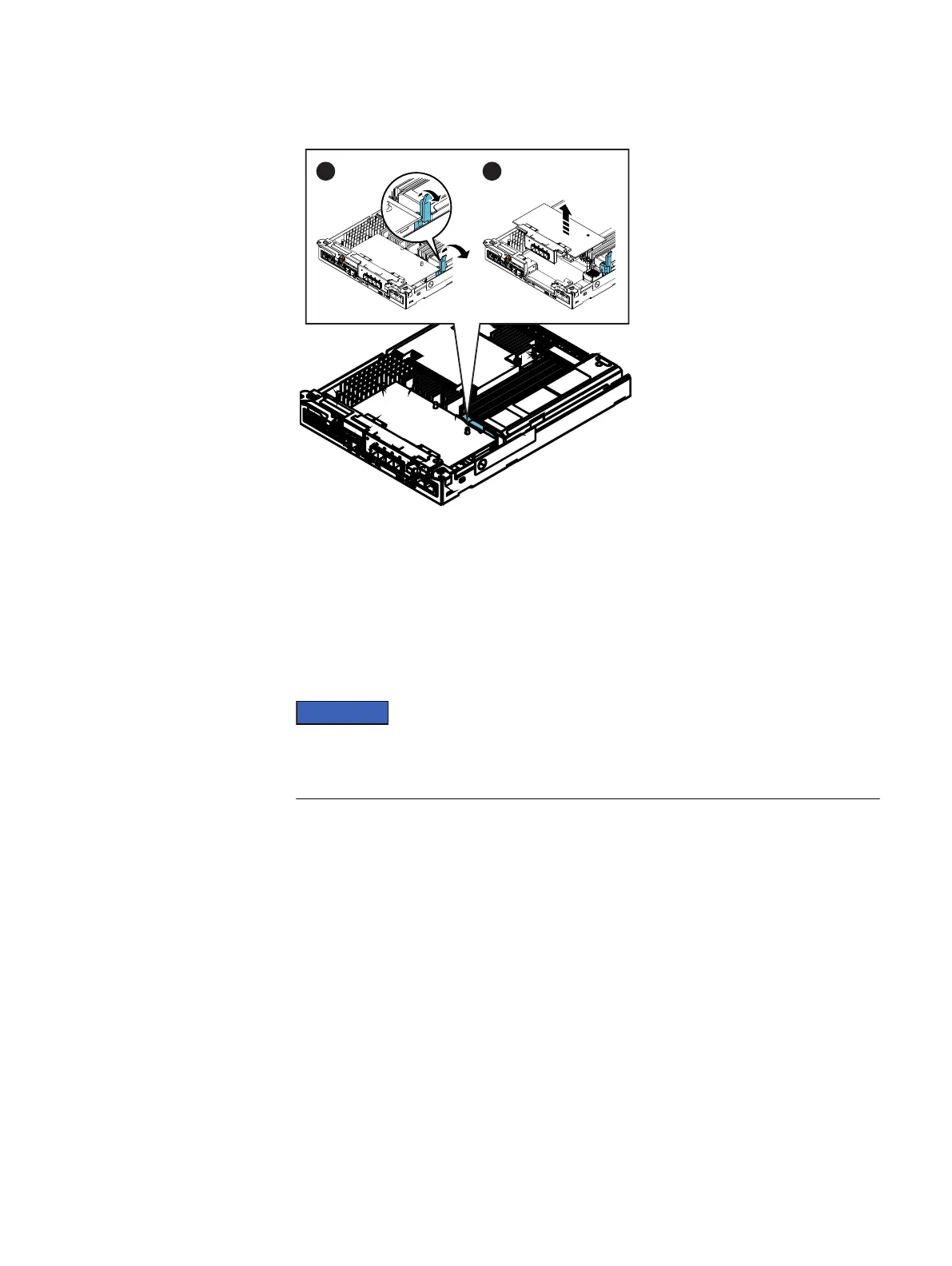
Figure 5 Removing the I/O module
Installing the I/O module
Refer to Figure 6 on page 10 while performing the procedure that follows.
Procedure
1. Angle the I/O module slightly so it fits into the canister and align it with the blue and
gray alignment pins.
Do not attempt to seat the module into the CPU connector while you are holding the
module at an angle. Doing so will damage the connections. The module should be flat
before you attempt to seat it in the connector.
2. With the I/O module aligned and parallel to the CPU board, press the blue latch down
to fully seat the module in the connector.
Replacing an input/output module in a disk processor enclosure
Installing the I/O module 9


 To Next Page