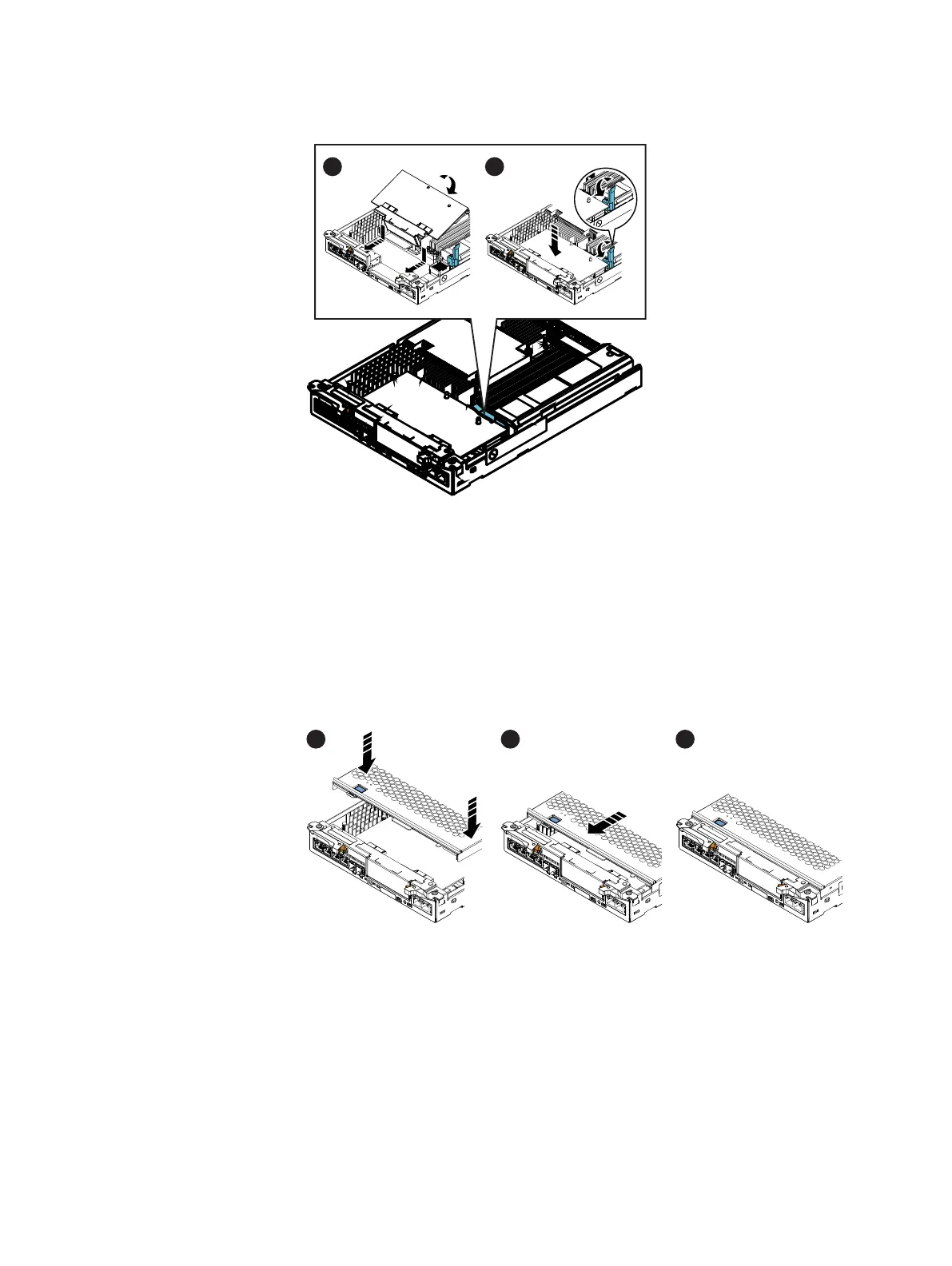
Figure 6 Installing the I/O module
Replacing the SP top cover
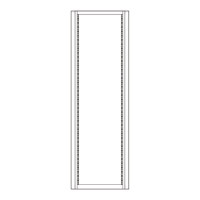
Refer to Figure 7 on page 10 while performing the procedure that follows.
Procedure
1. Align the cover tabs with the notches in the canister.
2. Slide it forward 1/4 inch until the tab secures the cover.
Figure 7 Replacing the SP top cover
Installing an SP assembly
Refer to Figure 8 on page 11 while performing the procedure that follows.
Procedure
1. Pull out the latches on each side of the SP assembly and make sure they stay in the
open position.
2. Align the SP assembly with the enclosure opening and push it straight into the
enclosure.
The latches begin to close when they contact the enclosure edges.
10
EMC VNXe


 To Next Page