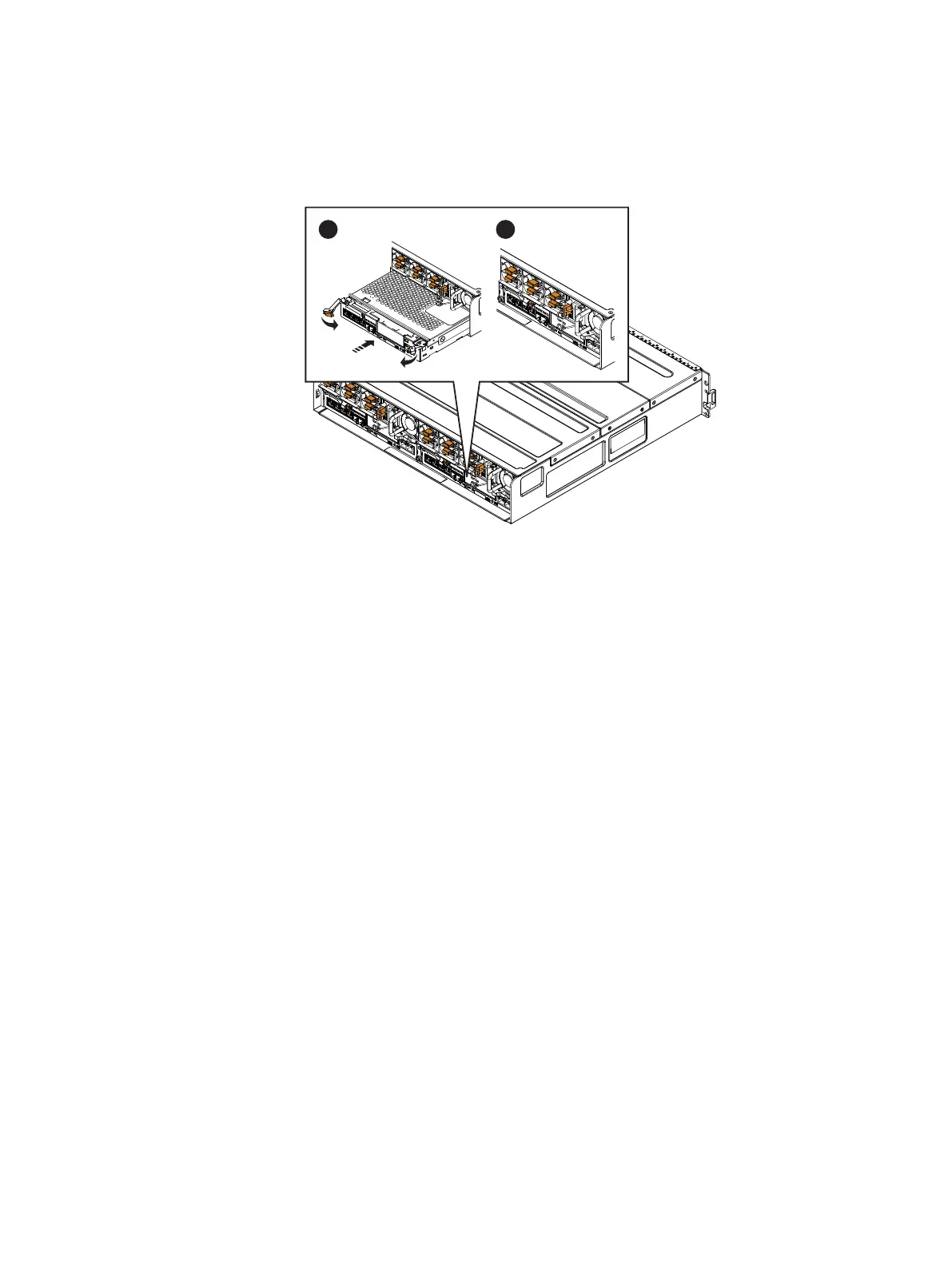
3. Close the right and left latches to fully seat the SP assembly in the enclosure.
An audible click indicates that the latches are secure.
Figure 8 Installing an SP assembly
4. Ensure that the SP assembly starts powering up after installation. If not, reseat the SP
assembly.
5. Reconnect the cables to the back of the SP assembly being sure to connect all cables
to the same ports from which you removed them.
Rebooting an SP
When you have returned the SP assembly to the enclosure, reboot the recently serviced
SP to ensure that it leaves Service mode using the procedure that follows.
Procedure
1. From Unisphere, select Settings, then Service System.
2. Log in with your service password.
3. In the System Components column, select the storage processor currently in Service
mode (SP A or SP B).
4. Under Service Actions, select Reboot, then Execute service action.
It may take up to 12 minutes for the system to complete its reboot to return to normal
mode.
5. Either refresh your browser or follow the on-screen instructions to bring the software
out of service mode and restore full-function Unisphere.
Verifying the operation of a part
Verify that the new part is recognized by your system, and operating correctly using the
procedure that follows.
Procedure
1. In Unisphere
™
, select System > System Health.
2. Select the part in the System Component list or the graphical view:
Replacing an input/output module in a disk processor enclosure
Rebooting an SP 11


 To Next Page