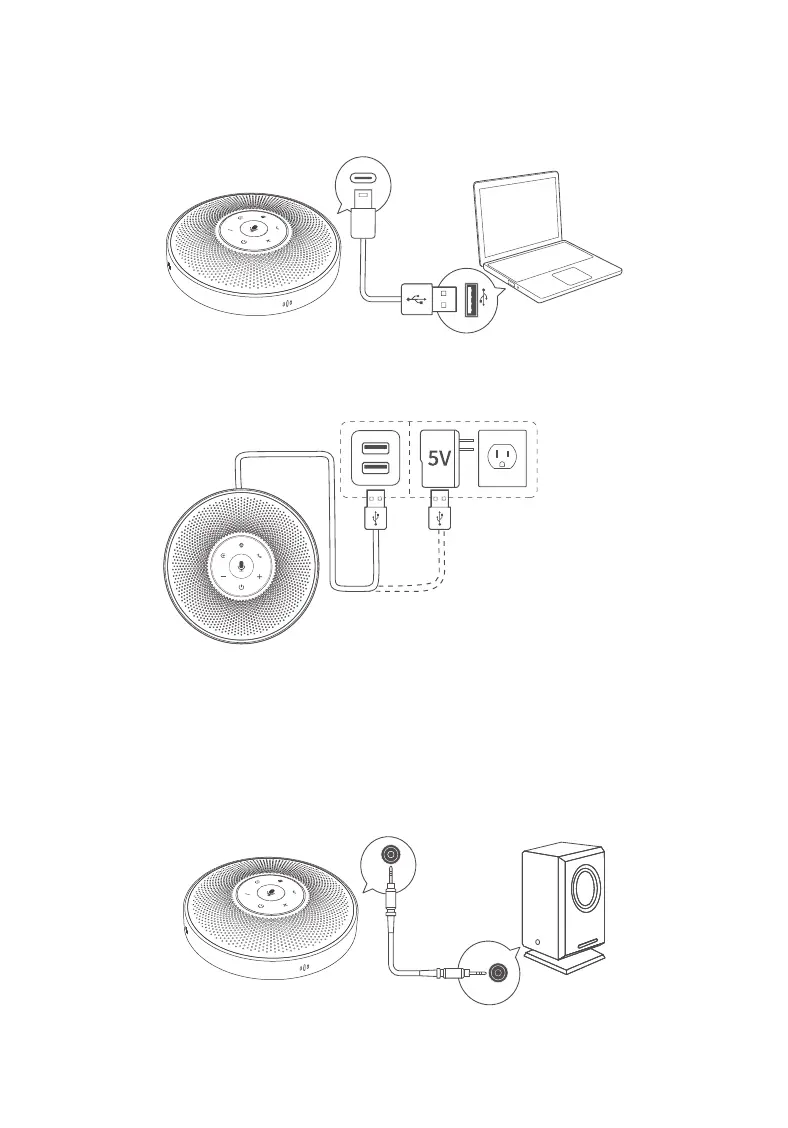
9. Charge eMeet OceCore M2 Lite product
9.1 Via the computer
9.2 Through the adapter
Warning: Use UL certified ITE power supply only, the
rated output is 5VDC, minimum 1A. Using other power
sources invalidates the approvals for this device and
triggers potential danger.
10. External speaker
Connect the speaker to the AUX OUT port of eMeet OceCore M2 Lite product with
audio wire.
OUT
For more information, please visit www.emeet.ai/support
5


 To Next Page