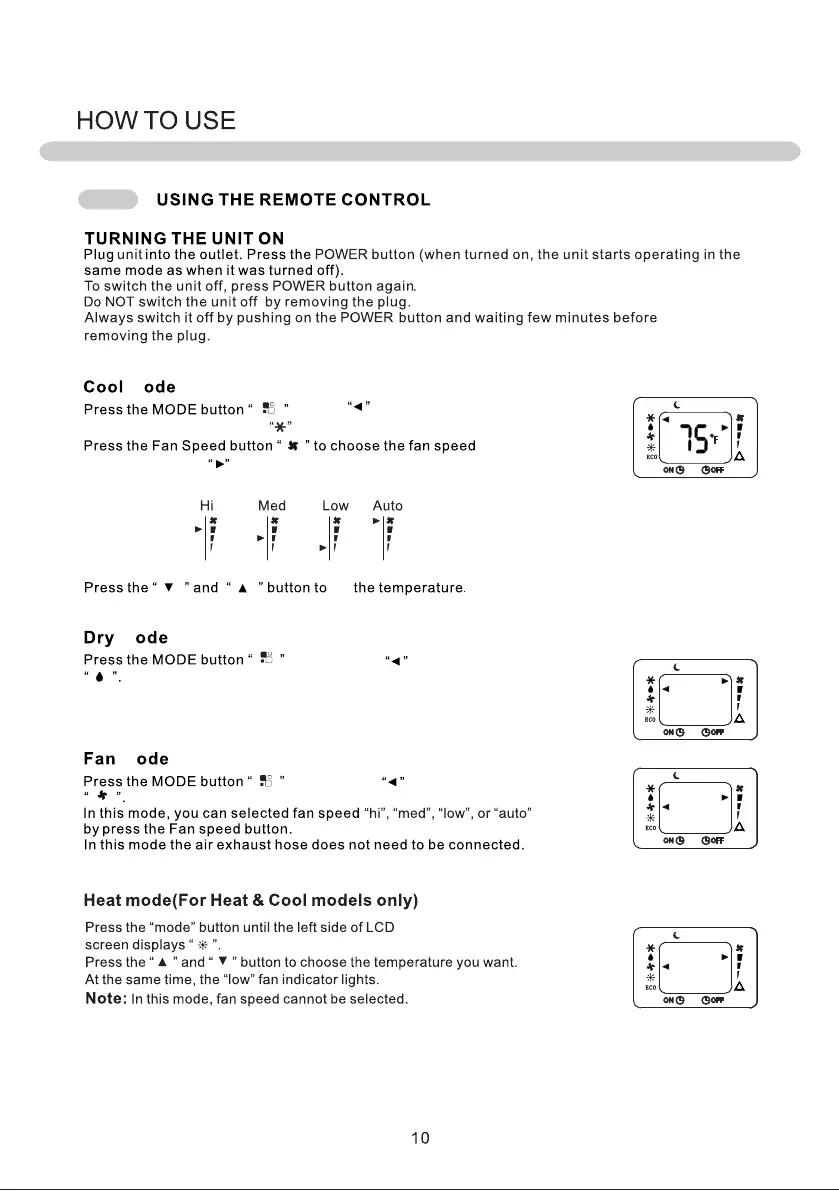
Always switch it off by pushing the POWER button and waiting a few minutes before
removing the plug, allowing the unit to perform its standard checks.
M
until the displays on the left side
of the LCD display next to the icon.
to choose
the Fan Speed. The will indicate the selected speed: Hi, Med, Low, or Auto.
set
M
until the arrow is next to the icon
In Dry Mode the fan will automatically turn on Low speed.
Note: In this mode, fan speed cannot be adjusted.
M
until the arrow is next to the icon



 To Next Page