10
BASIC OPERATION
Turning on/off
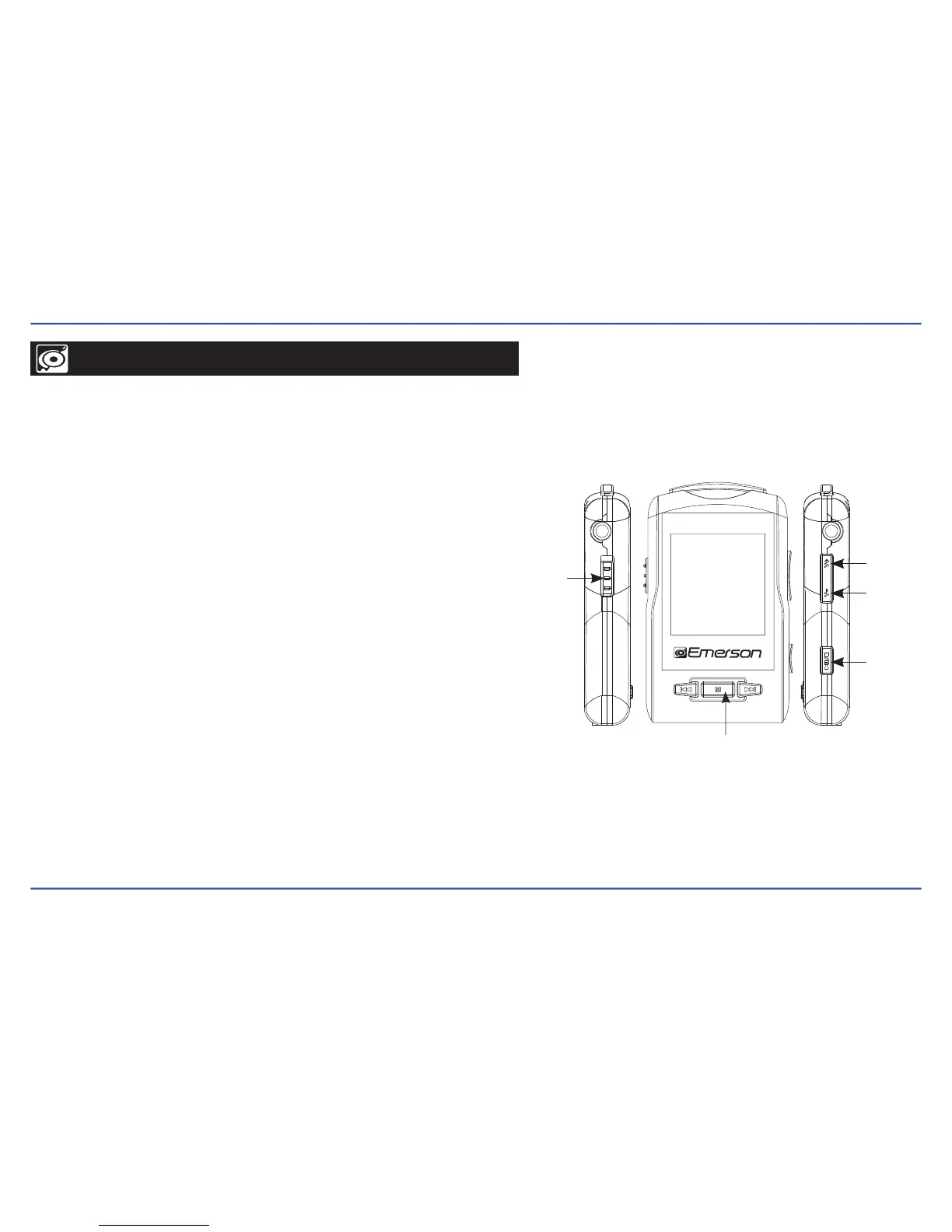
POWER
switch
DOWN
UP
PLAY
MENU
● To turn on the player place the [POWER] switch in the “ON” position, and
press and hold the [PLAY] button for 3 seconds until the LCD screen
lights up.
● To turn the player off, press and hold the [PLAY] button until the LCD
screen shuts off, or place the [POWER] switch in the “OFF” position.
NOTE: If you power off the device directly with the [POWER] switch, your
last changes in the settings will be lost, and the player will not
remember the last song played.
Adjusting the volume
Press and HOLD the [DOWN] button to decrease the volume, or the [UP]
button to increase the volume.
Selecting main menu or mode
To access the Main Menu, press and hold the [MENU] button. Use the
[UP] or [DOWN] buttons to select an item and press the [PLAY] button to
confirm your selection.



 To Next Page