16
CREATING AVI VIDEOS
Before transferring video files to the MP3 Player, you must convert them to the correct format.
With the AVI Converter software tool you can easily convert your AVI / WMV / MPG / VOB / ASF videos to the AVI format (XVID with MP2 audio and
128 x 128 resolution) so you can enjoy them on your MP3 Player.
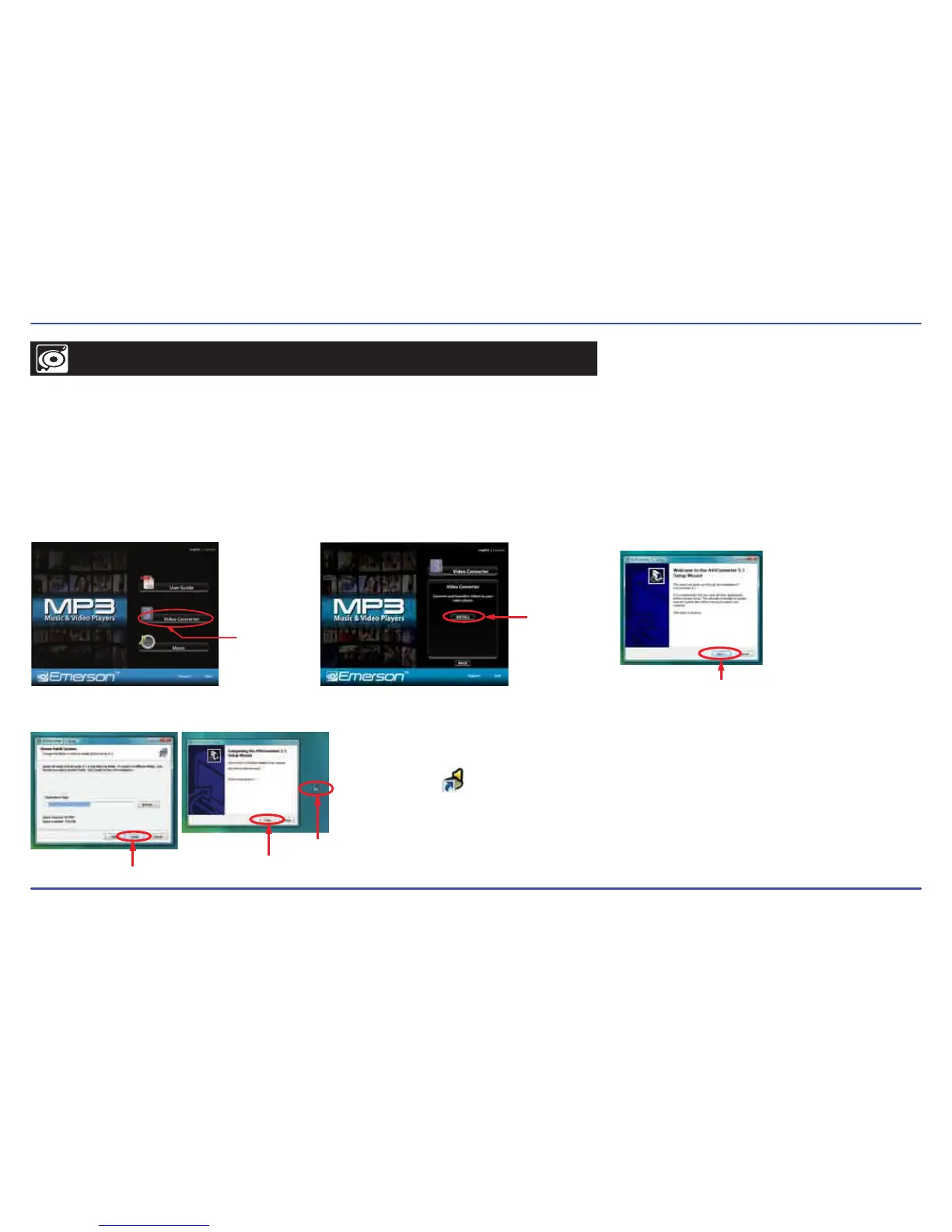
To install the AVI converter on your computer follow the steps below:
1. Insert the provided CD to the CD-ROM drive of your computer, and click on “Video Converter”.
2. Click “Install” and then “Next”.
3. Follow installation instructions to download the converter to your computer.
4. Click “Install” when you see the screen below, and then click “Finish”.
5. Click the icon on your “Desktop” to open the Video Converter.
AVIConverter
Click on “Video
Converter”
Click “Install”
Click “Next”
Click “Install”
Click “Finish”
“AVI
Converter”
icon on your
“Desktop”



 To Next Page