14
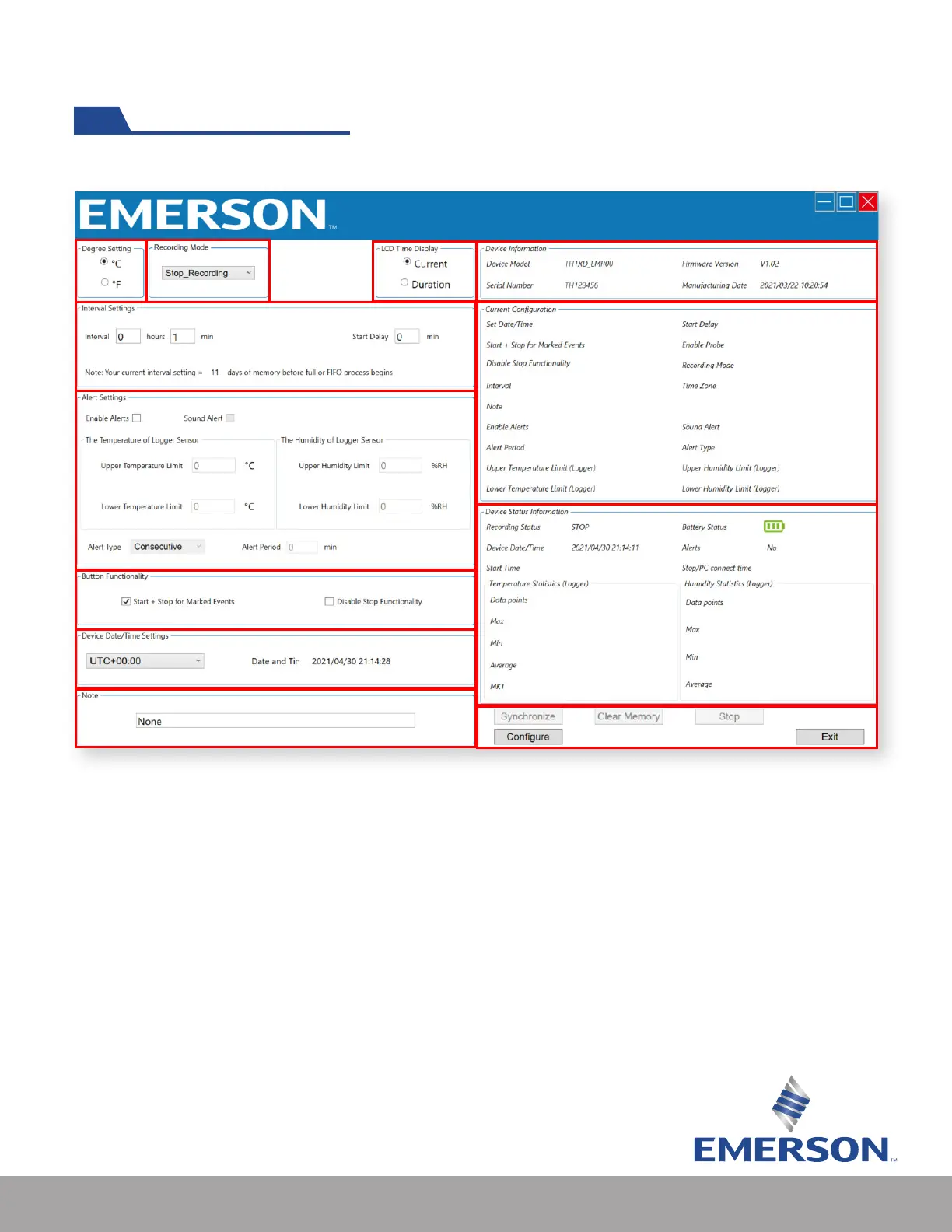
The conguration software consists of the following areas:
4
5
6
8
9
10
11
12
13
7
2
3
1
Screenshot of TH1XD software interface
1. Celsius or Fahrenheit preference selection
2. Recording mode selection
• Stop_Recording: Logger will stop when memory is full
• Continuous_FIFO (rst-in, rst-out): Logger will replace rst recorded data points with last
recorded data points
3. LCD Time Display
• Current: Logger LCD will display current time as congured in the software
• Duration: Logger LCD will display total running time from activation
Using the Software (cont’d)


 To Next Page
 Loading...