Quick Start Guide Section 5
GFK-2893P Sep 2019
Product Certification & Installation Guidelines 36
3. Transient protection shall be provided that is set
at a level not exceeding 140% of the peak rated
voltage value at the supply terminals to the
equipment.
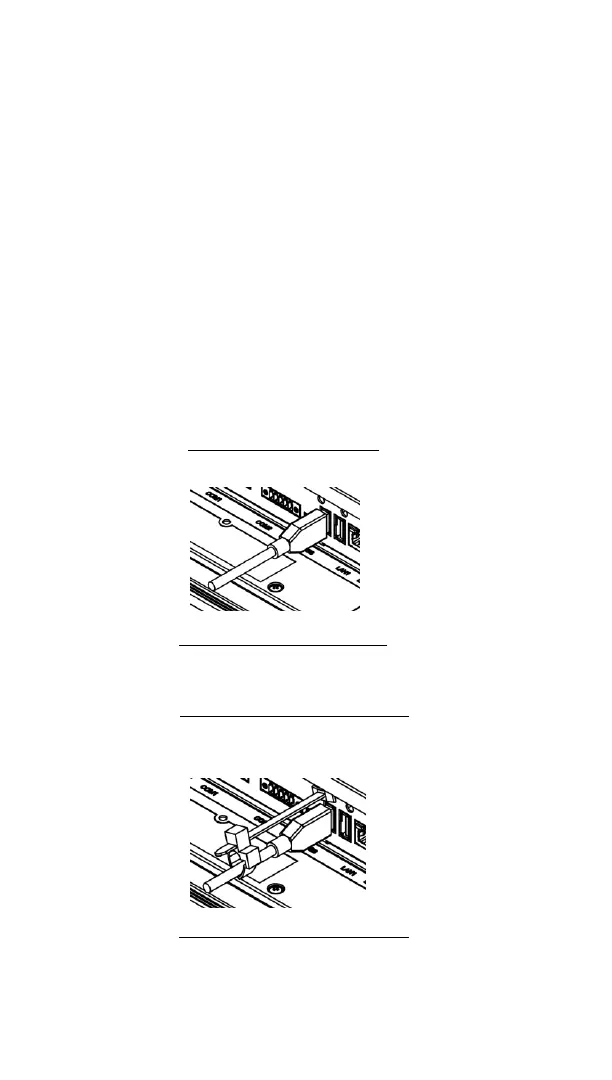
• USB retaining clamp for IC755CxS12CDBCA and
IC755CxS15CDACA must be used in hazardous
location installations as follows:
1. Connect the USB cable.


 To Next Page
 Loading...