38 39
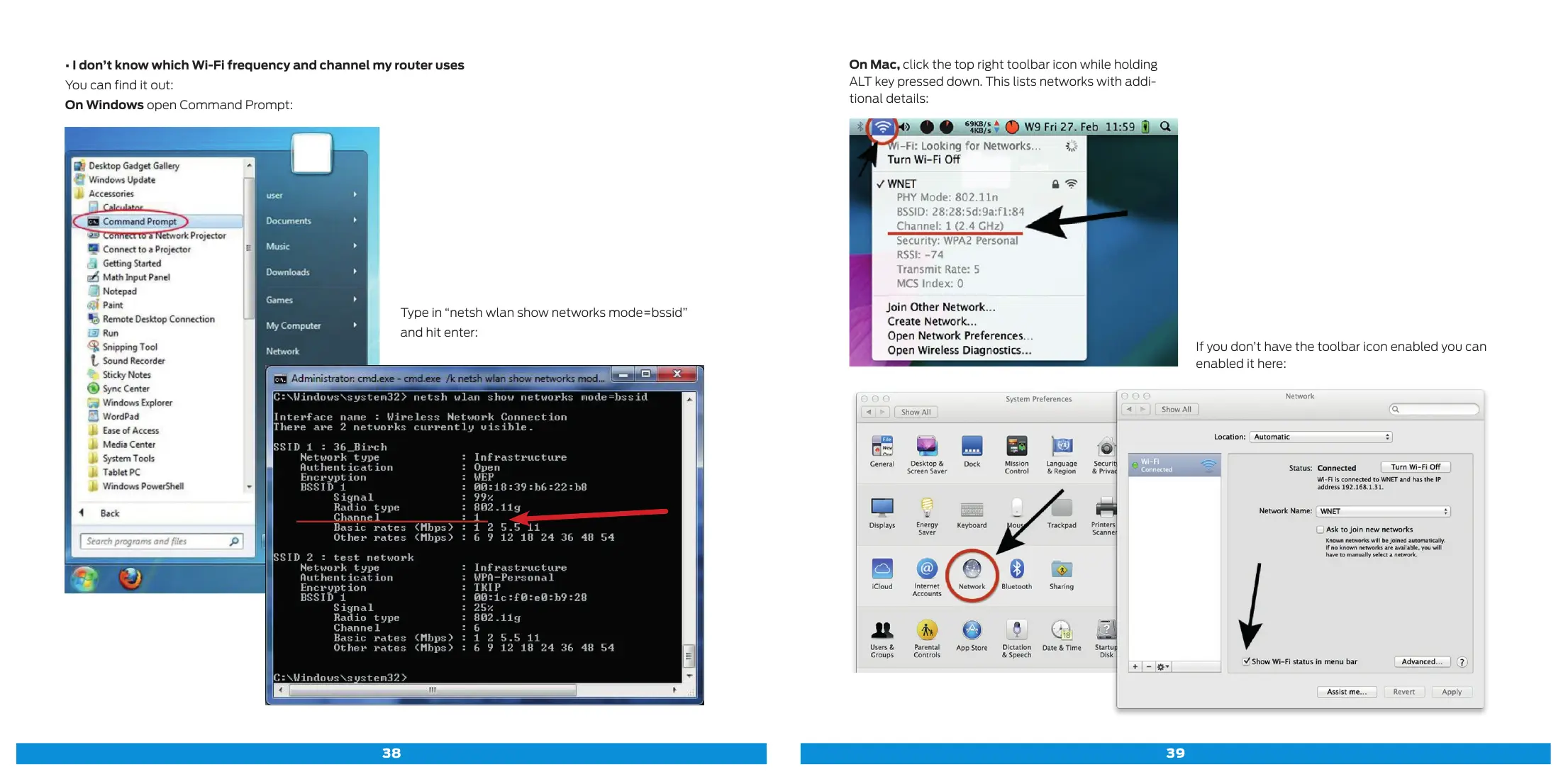
On Mac, click the top right toolbar icon while holding
ALT key pressed down. This lists networks with addi-
tional details:
If you don’t have the toolbar icon enabled you can
enabled it here:
• I don’t know which Wi-Fi frequency and channel my router uses
You can find it out:
On Windows open Command Prompt:
Type in “netsh wlan show networks mode=bssid”
and hit enter:



 To Next Page