2.2 Connecting using the driver (Wireless zero
configuration) Windows XP
Note: Make sure the wireless router or wireless modem you want to connect to
already has a working internet connection. Also make sure you have the wireless
security key at hand.
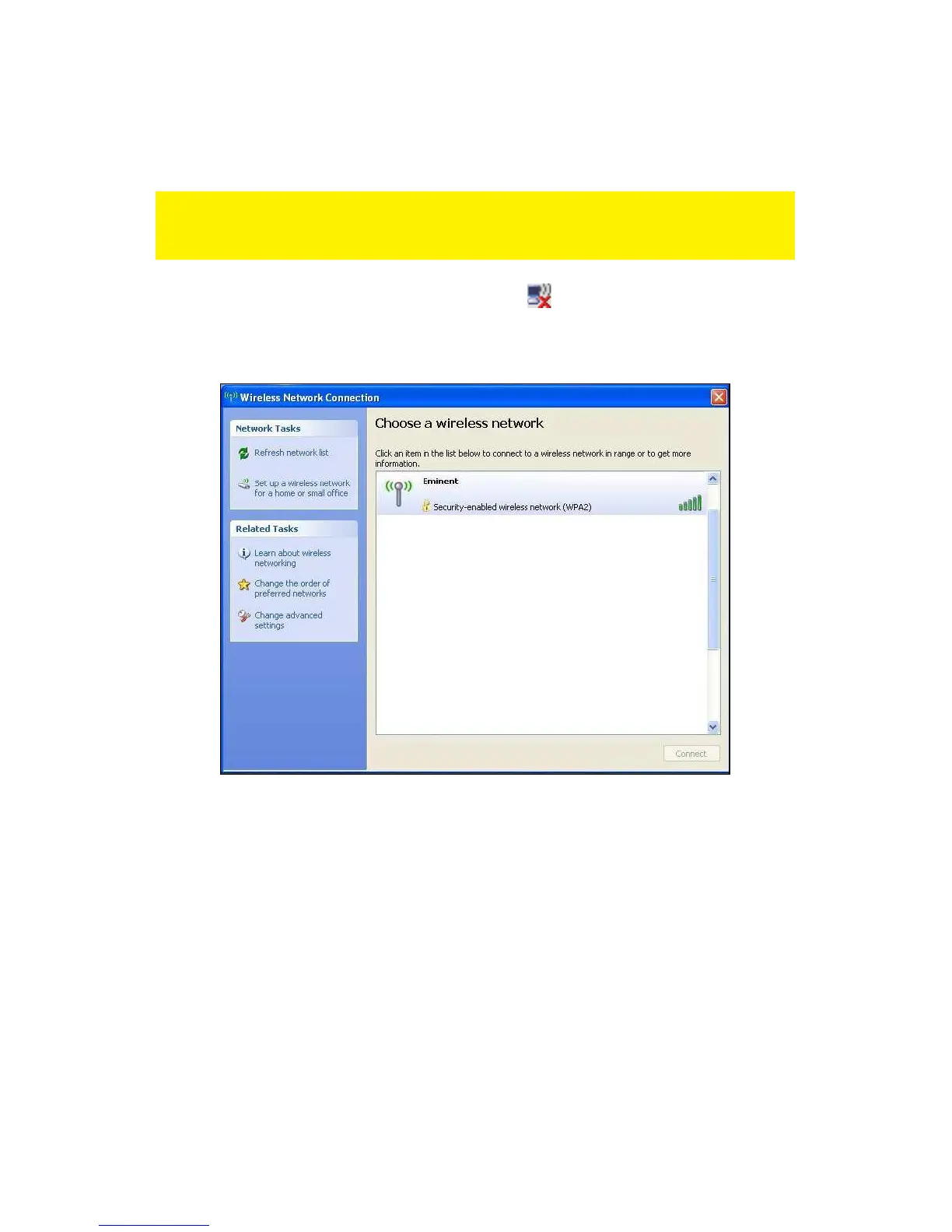
1. If correct, an icon of the wireless connection ( ) will be added to your taskbar.
2. Click the icon after which the available wireless networks will be shown. Refer to
the following image:
Image 5 - Connecting
3. Select your network and click ‘Connect’.
4. If correct, Windows will now ask you to fill out your wireless security key. You
also need to confirm the wireless security key and then click ‘Connect’. Refer to
the following image:



 To Next Page