4
|
ITALIANO
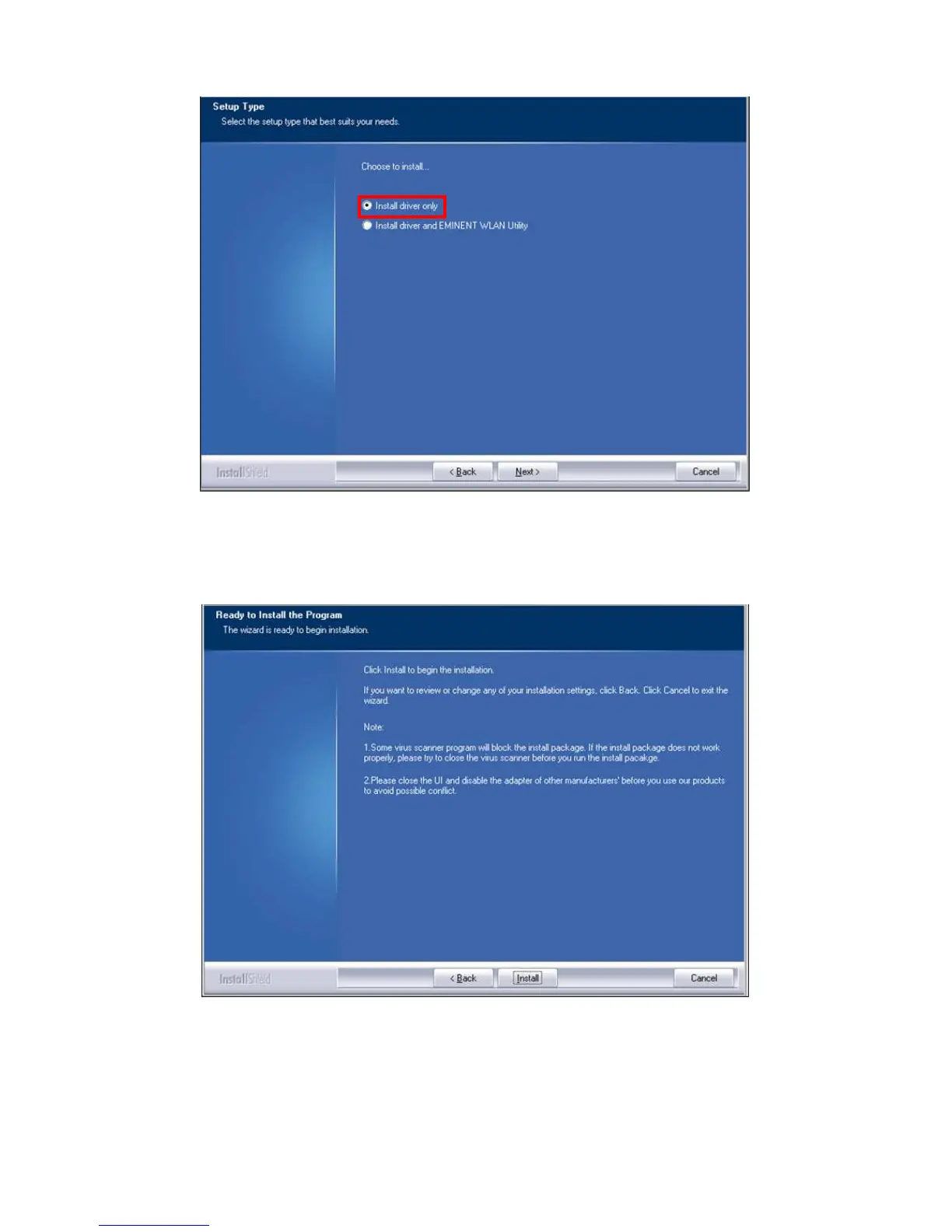
Immagine 2 - Installazione
9. Viene visualizzata una nuova schermata con note importanti. Leggere queste
note. Fare riferimento alla seguente immagine:
Immagine 3 - Installazione
10. Fare clic su ‘Installa’ per installare il driver.
11. Una volta installato il driver, fare clic su ‘Fine’ per completare l'installazione,
come mostrato nella seguente immagine:



 To Next Page