24
Operation Guide
NOTICE:
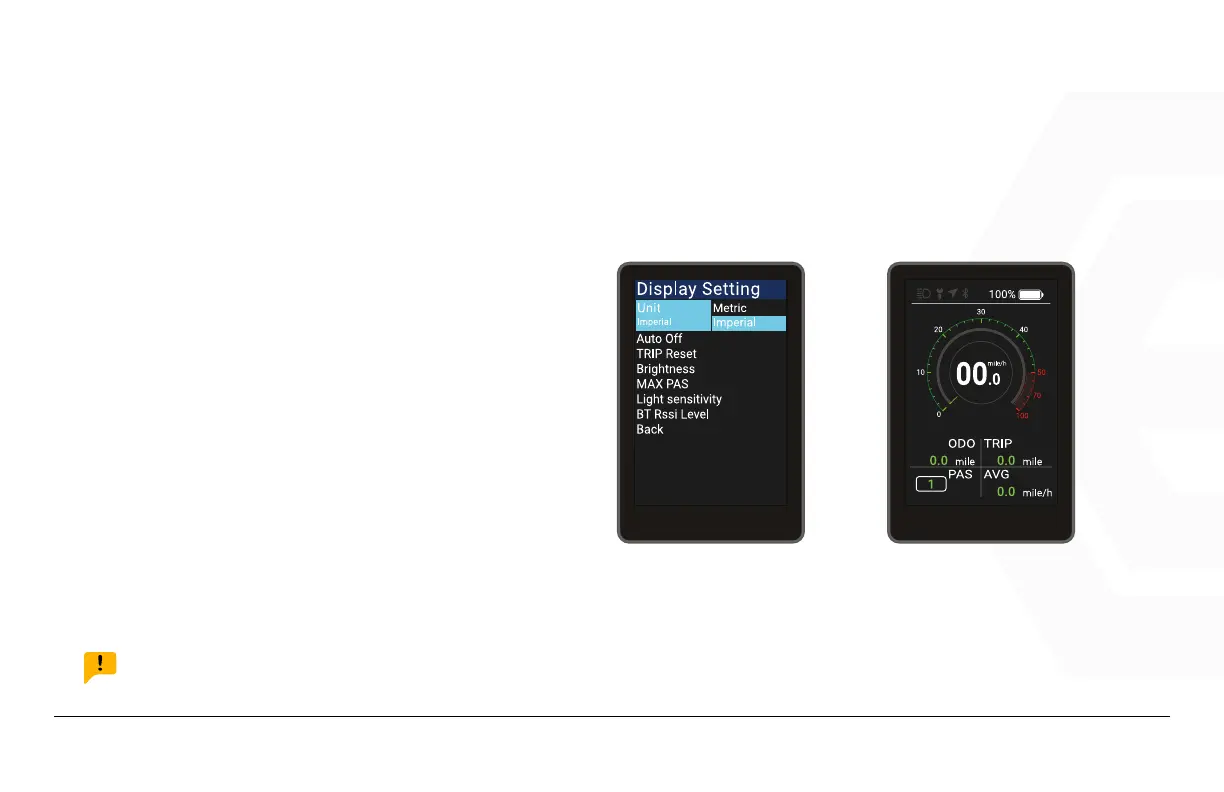
The display is in imperial by default.
1. Speedometer & Control
d� Function Summary
Imperial and Metric Unit Conversions
Go to the “Display Setting” menu, select
“Unit”, press Power to enter the settings.
Use the “+” button or the “-” button to
move the cursor up and down after en-
tering the settings, and select “Metric” or
“Imperial”, press Power to save and exit to
“Unit”, Exit the menu via “Back” Exit to the
main interface.
UNIT MILE



 To Next Page