25
Operation Guide
Automatic Shutdown
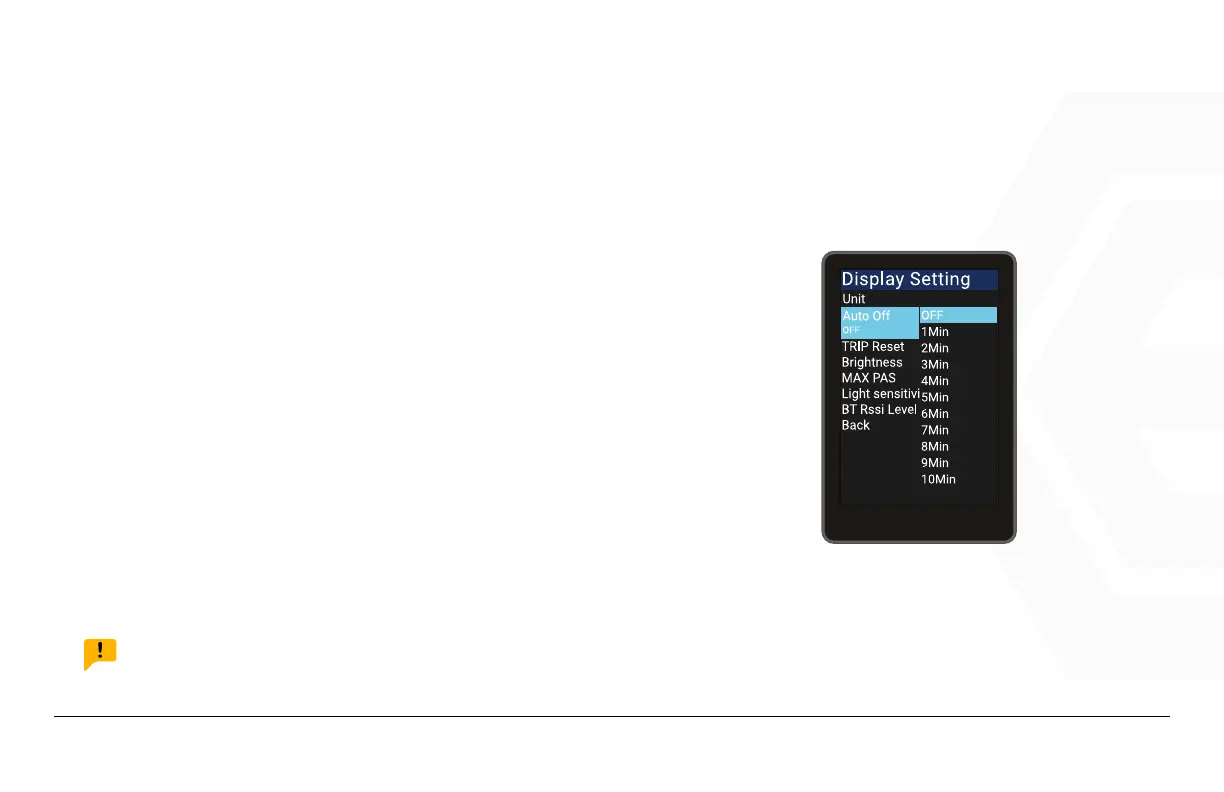
Go to the “Display Setting” menu, use the “+” button or the
“-” button to move the cursor up or down, select “Auto Off”,
press Power to enter the settings interface, move the cur-
sor to select between “OFF”, “1min”, “2min”, “3min”, “4min”,
“5min”, “6min”, “7min”, “8min”, “9min” and “10min” (“OFF”
means to turn off the auto-shutdown function, and “1min-
10min” indicates the time until shutdown). Press “Save” to
exit to the “Display Setting” menu, then through “Back” and
“Exit” to return to the main interface.
NOTICE:
Any operation will reset the internal timer, the bike will only shut down automatically when the preset time
is reached.
1. Speedometer & Control
d� Function Summary
AUTO ON/OFF



 To Next Page