16
Operation Guide
a� Display
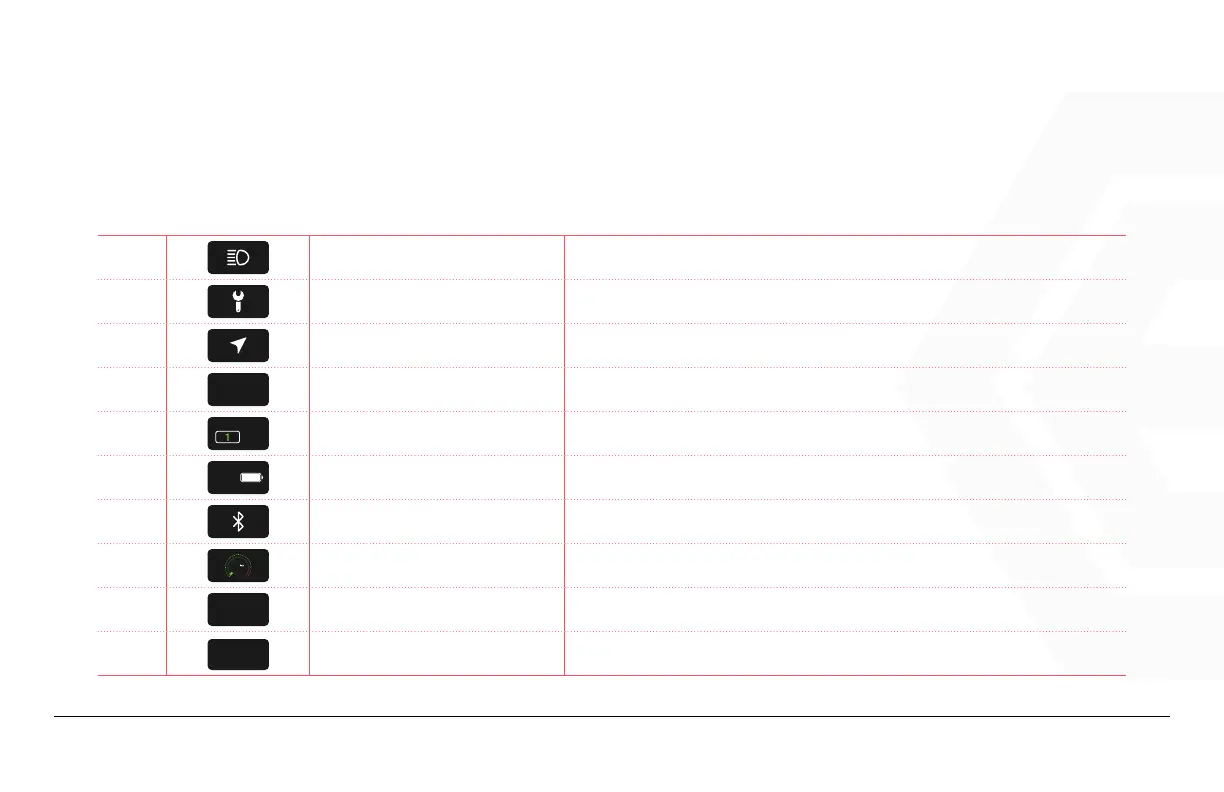
1. Speedometer & Control
A
Headlight Indicator
Indicates if the status of the headlight is on/off. The icon lights up when
the headlight is on.
B
Maintenance Indicator Lights up when maintenance is required.
C
Navigation Indicator
The mobile app connects to the display via Bluetooth, and lights up when
the mobile app starts to navigate.
D
ODO
0�0
km
Total Distance Traveled Displays the total distance traveled.
E
PAS
Pedal Assist Level Displays the pedal assist level.
F
100%
Battery Level Indicator Indicates current battery level.
G
Bluetooth Indicator Bluetooth on/off status display, the icon will light when connected.
H
0
10
20
30
40
50
70
100
00
.0
Real-time speed Display speed in real-time.
I
0�0
km
TRIP
Trip Distance Displays the distance traveled for the current trip.
J
0�0
km
AVG
Average Speed Displays the average speed.


 To Next Page