45
Operation Guide
d� Function Summary
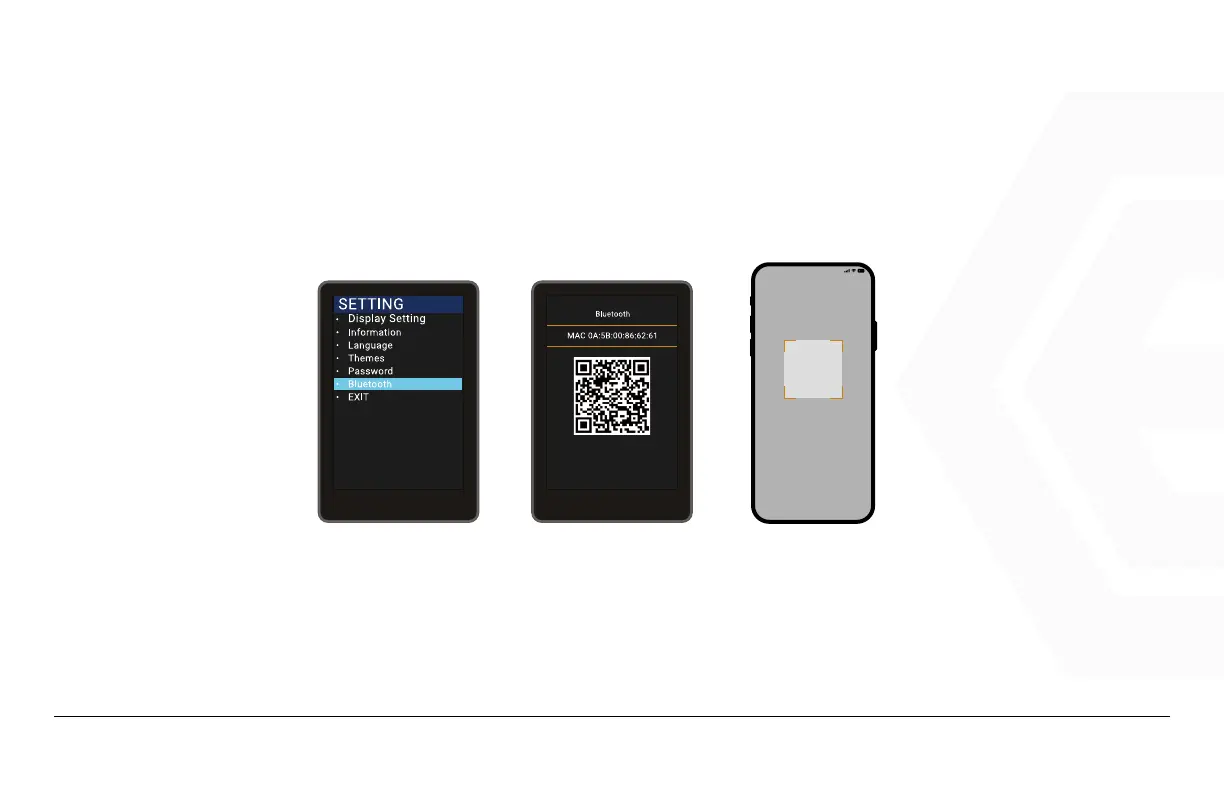
Bluetooth Connection
• Tab the Power key to enter the setting information list, use the “+” key or the “-” key to
move the cursor up and down, select the “Bluetooth” option, and tab “OK” to enter the
Bluetooth QR code interface.
• Open the BIKEGO APP, click on “New Bike” to add your e-bike and scan the QR code on the
speedometer of the ebike to connect to your E-Bike.
Please put the QR code in the scan box
20:00
1� Please open the meter --> click the power
key to enter the setting menu --> select
‘Bluetooth’
2� Scan the QE code on the meter
click switch flash
1. Speedometer & Control


 To Next Page