8
Mode C
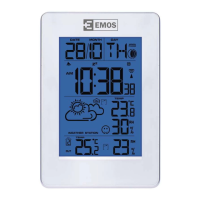
• colour changes based on outdoor temperature.
• over 30 °C (red), 25~29.9 °C (yellow), 20~24.9 °C (green), 10~19.9 °C (white), 0~9.9° (light blue), -0.1
°C ~-9.9 °C (blue), under -10 °C (purple). Press "MODE" to conrm your selection. If sensor signal is
not within range, illumination will be red until sensor signal is received.
• If you press MODE and "" simultaneously, the colour of the screen will start changing automa-
tically every 7 seconds.
• This feature is active only if the station is powered via the adapter.
• If you press MODE again, the current screen colour will be kept.
Temperature/Humidity/Pressure (Weather) Trend
The icon for outdoor temperature and humidity trend is shown in eld 16.
The icon for indoor temperature and humidity trend is shown in eld 27.
The icon for pressure trend is shown in eld no. 4 above the pressure value.
Temperature, humidi-
ty and pressure trend
indicator
rising constant dropping
Comfort Icon – Smiley Face
The station uses stored data about humidity to determine the comfort in the room and shows the
corresponding symbol in eld no. 24.
COMFORT DRY WET
If humidity is between 40–70 % RH and temperature between 20–28 °C, the COMFORT icon will be
displayed.
If humidity is lower than 40 % RH, the screen will show the DRY icon.
If humidity is higher than 70 % RH, the screen will show the WET icon.
If temperature is not between 20–28 °C and humidity is not between 40–70 % RH, no icon will be
displayed.
Glaze Ice Warning
If outdoor temperature is lower than +1 °C, a glaze ice warning symbol will be displayed in eld no. 2
Low Battery Indication
The station shows a low battery warning both for the station and the outdoor sensor. If the indicator
appears, change the batteries.
- Station battery status – eld no. 26
- Outdoor sensor battery status – eld no. 17
Safety Instructions and Warnings
Read the user manual before using the device.
Follow the safety instructions stated in the manual.
The product is designed to serve reliably for many years if used properly.
• Read the manual carefully before using this product.
• Do not expose the product to direct sunlight, extreme cold and humidity and sudden changes
in temperature.


 To Next Page