10
Temperature/Press Trend (Weather)
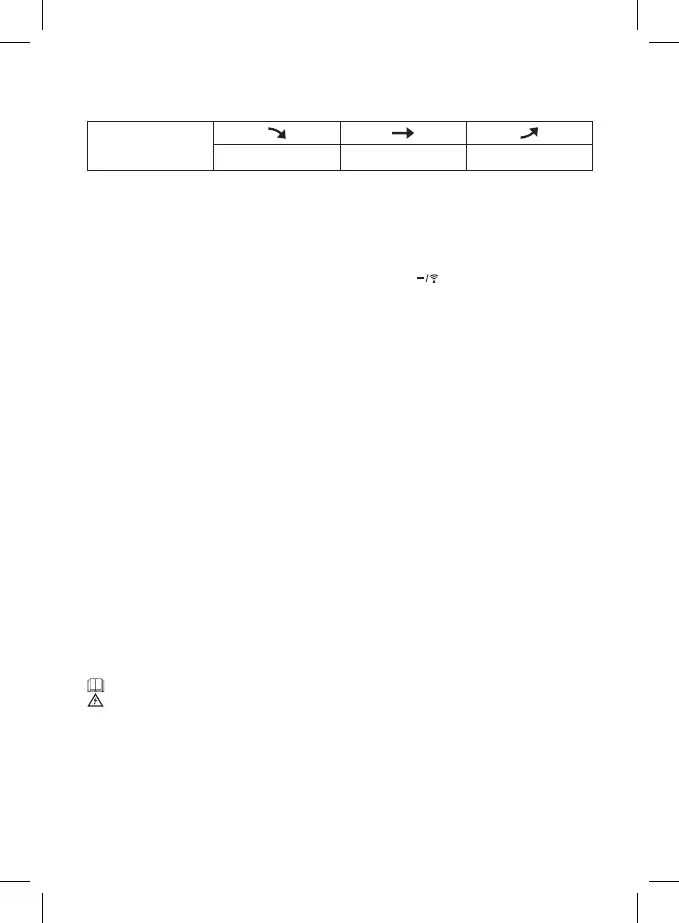
The icon for outdoor temperature trend is shown in eld no. 22.
The pressure trend icon is shown in eld no. 4.
temperature and
pressure trend
indicator
dropping constant rising
Sunrise/Sunset and Moonrise/Moonset Time Display
After setting your city of residence (see Setting Time and Date), the weather station will calculate
the approximate SUN RISE/SUN SET (eld no. 15) and MOONRISE, MOONSET (eld no. 13) time. This
information is approximate only and can dier by location. Press the SUN/MOON button to show the
sunshine duration for the current day.
If you wish to learn this information for a dierent location or date, hold the SUN/MOON button for
3 seconds and set the country by repeatedly pressing the +/12/24 or button and conrm by pressing
the SUN/MOON button. Follow the same steps to select the city, year, month and day.
Note: Correct time calculation with regard to time zone will be displayed after successful reception of DCF
signal.
Moon Phases
(see Fig. 4)
The moon phase icon is displayed in eld no. 12.
The main phases are as follows:
1 – new moon
2 – waxing crescent
3 – rst quarter
4 – waxing gibbous
5 – full moon
6 – waning gibbous
7 – last quarter
8 – waning crescent
Weather Forecast
(see Fig. 5)
The station forecasts weather on the basis of changes in atmospheric pressure for the next 12–24 hours
for an area within the range of 15–20 km.
The accuracy of weather forecast is approximately 70 %. As the weather forecast may not be 100 %
accurate, neither the manufacturer nor the seller can be held responsible for any loss caused by an
incorrect forecast. When you rst set or reset the weather station, it takes approximately 12 hours before
the weather station begins forecasting correctly. The weather station shows 7 weather forecast icons.
Note: Currently displayed icon means a forecast for the next 12 – 24 hours. It may not reect the current
state of the weather.
1 – Sunny
2 – Cloudy
3 – Overcast
4 – Heavy rain
5 – Rain
6 – Heavy snow
7 – Snow
Safety Instructions and Warnings
Read the user manual before using the device
Follow the safety instructions stated in the manual
The product is designed to serve reliably for many years if used properly.
• Read the manual carefully before using this product.
• Do not expose the product to direct sunlight, extreme cold and humidity and sudden changes
in temperature.
• Do not place the product in locations prone to vibration and shocks – these may cause damage.
• Do not expose the product to excessive force, impacts, dust, high temperatures or humidity - these
may cause malfunction, shorter battery life, damage to batteries and deformation of plastic parts.
• Do not expose the product to rain or moisture if it is not designed for outdoor use.



 To Next Page