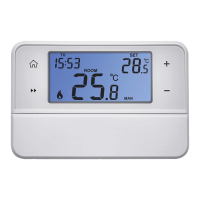
5
• Red LED is lit while the heating/air-conditioning system is active.
Main Switch
If the heating/air-conditioning system is not used for an extended period of time, it is
recommended to turn the switching unit o (move the main switch to the OFF position).
INSTALLATION
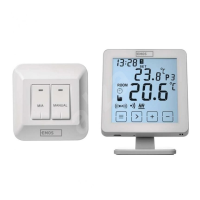
Pairing the Control Unit with the Switching Unit
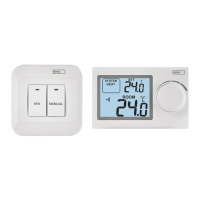
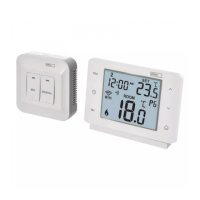
Pairing enables transmission of information between the control unit and the switch-
ing unit.
The units pair automatically (self-learning) after pressing the “ID” button.
1. Insert 2× 1.5 V AA batteries into the control unit (make sure polarity of the batteries
is correct). Use alkaline batteries only, not rechargeable ones.
2. Connect the switching unit correctly to the power source, and press and hold the
“ID” button; the top red LED starts ashing.
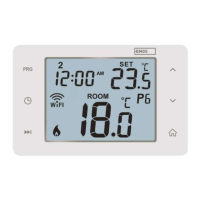
Long-press the screen illumination button (
) on the control unit within 10
seconds.
Both units will automatically pair and the
icon will be displayed. The red LED
on the switching unit will stop ashing and goes out.
If the pairing of the units fails, the
icon will be ashing instead.
Testing Wireless Communication between the Units
1. Use the button to select a temperature a few degrees higher than the current
room temperature.
2. Wait for approximately 10 seconds or press the
button.
3. The red LED on the switching unit will light up.
4. If the LED does not light up, move the control unit closer to the switching unit.
Press the button to set a value which is lower than the room temperature – the
receiver must switch o.
5. Repeat steps 1 to 4.
The maximum range between the control and switching unit is 100 m in an open
space. The range may decrease indoors as the signal has to pass through walls
and other obstacles.
6. Press the “RESET” button once the test is complete.
Deleting the Memory (Code) of Paired Units
To delete the pairing code used between the control and switching unit, follow the
instructions below. Press and hold the “ID” button on the switching unit; the red LED
will start ashing. Short press the “ID” button again within 10 seconds. The red LED
will stop ashing and goes out. The pairing code is deleted.


 To Next Page