2
GB
WIRELESS THERMOSTAT – T15RF
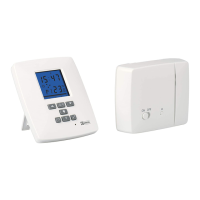
The T15RF thermostat is designed to control heating and air-conditioning systems. Unlike con-
ventional home thermostats, the T15RF thermostat system has a separate wireless control unit
(transmitter) and a switching unit (receiver). The switching unit is used to connect and switch
heating/air-conditioning systems and the portable control unit is used to control and adjust the
temperature. The units communicate with each other via radio signal. The advantage of the system
is its variability and easier availability of temperature control.
Important
• Before the rst use, make sure to read carefully the Operating Manual for the thermostat, but
also for the boiler or air-conditioning equipment.
• Turn o power supply before installing the thermostat!
• Installation should be carried out by qualied personnel!
• The electrical circuit should be secured by a breaker rated for 20 A.
• During installation, observe the appropriate standards.
Specications
Switched load: max. 230 V AC; 16 A for resistive load; 5 A for inductive load
Clock accuracy: ±60 seconds/month
Temperature measurement: 0°C to +40°C with increments 0.2°C; accuracy ±1°C at 20°C
Temperature setting: 7°C to 30°C in increments 0.2°C
Variance of set temperature: 0.4; 0.8; 1.4 or 1.8°C
Air-conditioning cycle time: 1 minute
Operating temperature: 0°C to 40°C
Storage temperature: -10°C to 60°C
Units connected: Via radio signal 868 MHz
Transmitter unit range: up to 70 m in an open area
Power supply:
Control unit (transmitter) battery 2× 1.5V type AA (LR6)
Switching unit (receiver) 230V AC/50 Hz
Size and weight:
Control unit: 97 × 117 × 23 mm; 125 g
Switching unit: 115 × 92 × 31 mm; 168 g
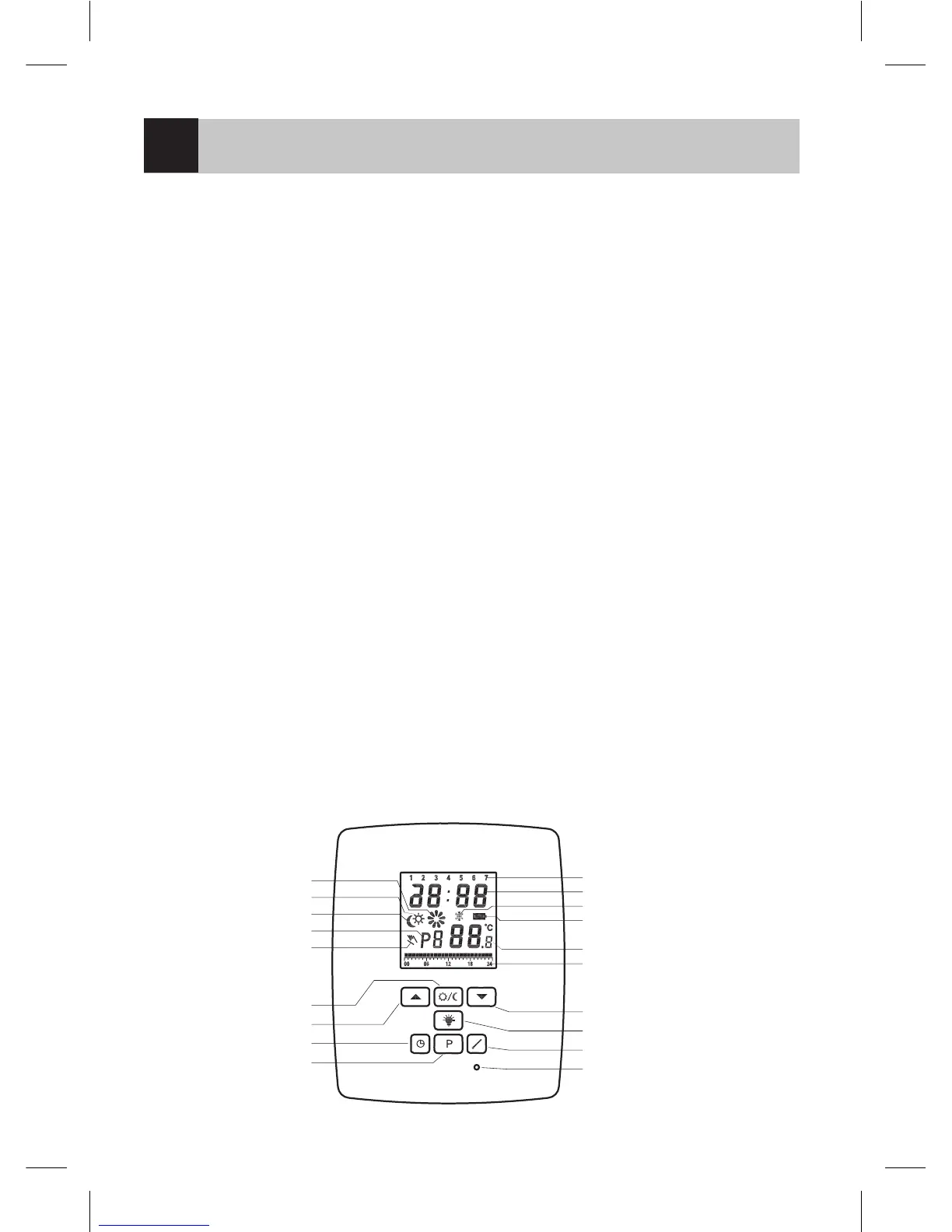
Control (portable) unit
operation icon
comfort mode
economy mode
pre-setting programs
manual control
comfort/economy
operation
„UP“ button
setting the time
setting program
day of week
clock display
frost indication
battery status indication
temperature display
day prole display
„DOWN“ button
display backlight
temperature setting
device RESET


 To Next Page