6
Selecting temperature variance
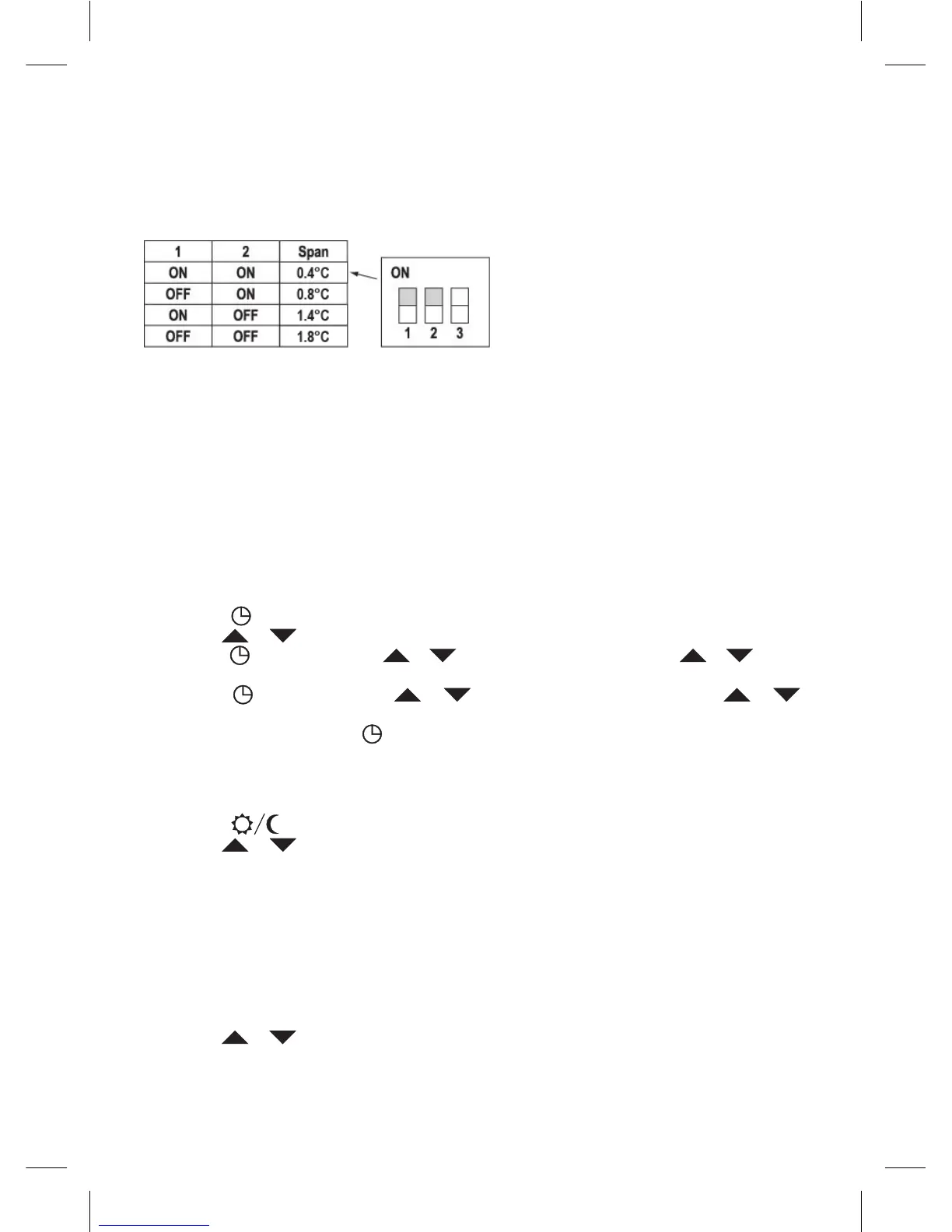
Variance is a temperature dierence between switching on and o. For example, if you set the
temperature of the heating system to 20°C and the variance to 0.8°C, the heater starts to operate,
when the room temperature drops to 19.2°C, and is switched o when the temperature reaches
20.8°C. Set the DIP switches (positions 1 and 2) depending on your choice of temperature variance,
as shown in the following gure.
Installation of batteries
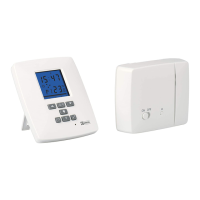
The T15RF thermostat is powered by two 1.5V type AA batteries.
1. Insert two AA batteries into the battery compartment located inside the control unit according
to the polarities marked. Only use alkaline batteries, not rechargeable ones. When you rst start
the unit, the display must show the time and room temperature.
2. If the display shows dierent data, gently press the reset button. To do this, use a thin, straight
object, e.g. a straightened paper clip.
3. After inserting the batteries, replace the rear cover.
4. Before you turn on the main switch of the switching unit, press the RESET button once. The
thermostat is ready for use.
Note: After inserting batteries, the transmitter needs up to about 30 minutes to stabilise parameters!
Setting the clock
1. Press the button to set the day and time. Indicator of day (no. 1-7 is ashing).
2. Use the or button to set the appropriate day number.
3. Press the
button and use the or button to set the hours. Hold the or button
to accelerate the setting operation.
4. Press the
button and use the or button to set the minutes. Hold the or
button to accelerate the setting operation.
5. Conrm the setting with the
button.
If no button is pressed for a period of 10 seconds, the setting mode is automatically nished.
Setting desired temperature
1. Press the NASTAVENÍ TEPLOTY button to switch to the temperature setting mode.
2. Press the
to toggle between the economy and comfort temperature.
3. Use the or button to set both temperatures in steps of 0.2°C.
4. Save the setting with the Temperature Setting button.
If no button is pressed for a period of 10 seconds, the setting mode is automatically nished.
The default comfort temperature is 21°C for the heating system and 23°C for air-conditioning, the
default economy temperature is 18°C for the heating system and 26°C for air-conditioning. Values
can be changed, as necessary.
Setting program
Selecting week/day
1. Press the “P” button, day indicator shows the day being programmed.
2. Use the or button to select the day you want to program. You can choose to program
the whole week, workweek weekend, or individual days.


 To Next Page