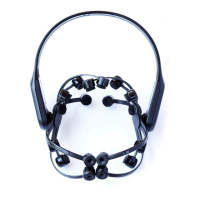
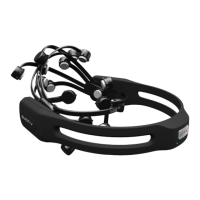
Obtaining Good Contact Quality
Placement of the reference arm is critical for successful operation. The reference arm is the
black tab which sits directly behind the left ear. The arm is designed to bend and may be
positioned to suit the user. The two sensors on the reference arm must make contact with
the patch of bare skin directly behind the ear. The sensor should be positioned so that it
follows the angle of the rear of the ear, sits flat and parallel on the skin and has light, but
definite pressure so that it is not displaced by moving the head.
As the Insight sensors establish and maintain contact, it may take a minute or so for the
signal quality to stabilize. If sensor indicators remain red or black, check that the sensors
are making comfortable but firm contact with the scalp. Try parting the hair or gently
working the sensor underneath the hair. Press and hold the sensor against the scalp for a
few seconds to establish a better quality contact. If the contact quality does not improve,
try moistening the sensor with the rehydration solution.
Although the majority of indicator lights are green, the detections will usually tolerate input
if a few sensors are orange or red, even with one or two black sensors depending on the
detection and which sensors are missing. Adjust the reference sensors so that their
indicator lights are green.


 To Next Page