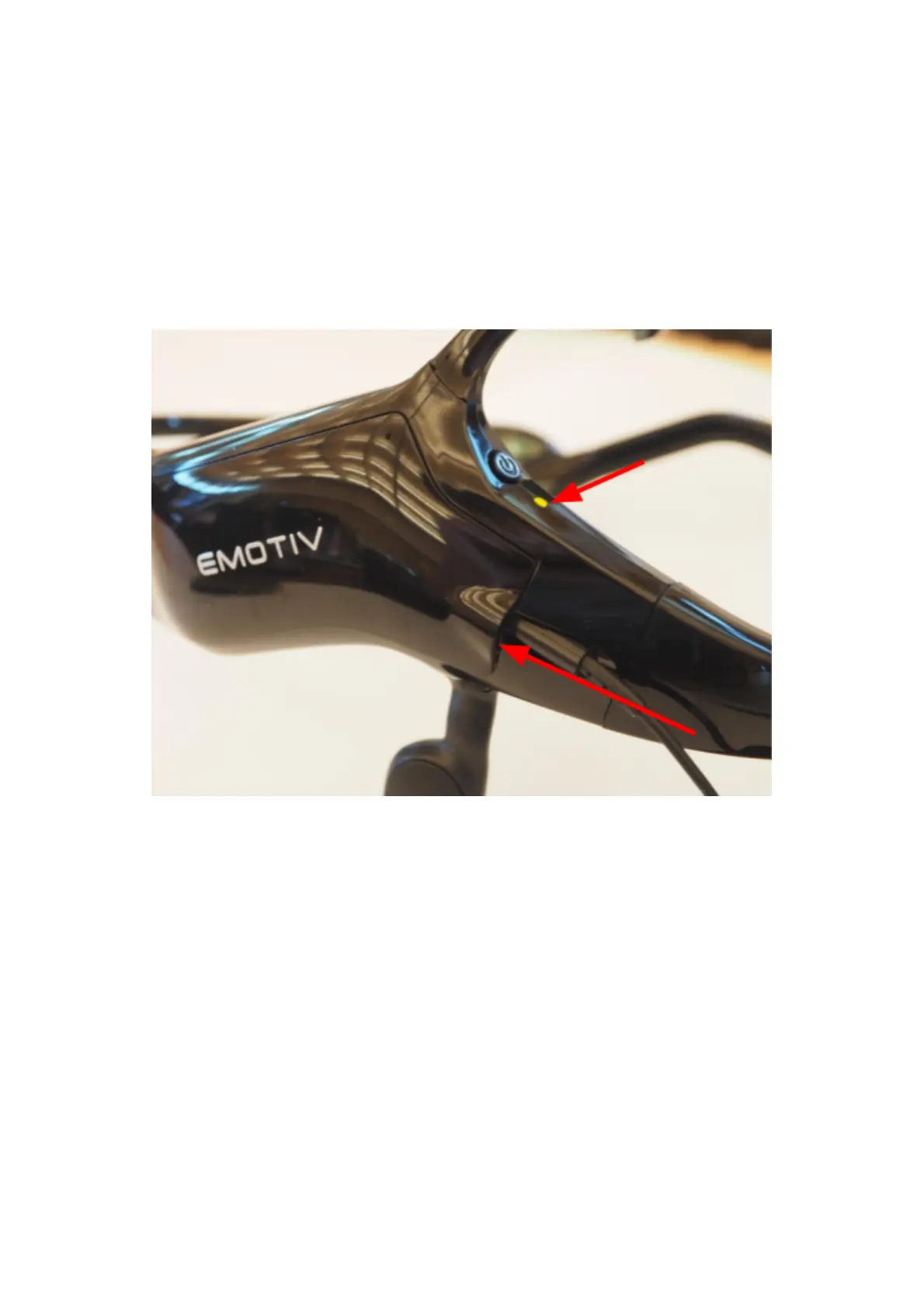
Plug the cable into the Insight (see photo below) ensuring the connector is fully inserted.
Attach the cable to an active USB port on your PC or charger. There is a red and green LED
located below the power button which will light orange when the charging and green when
complete.
Note the device requires 5V supply and it draws a maximum of 0.5 A from the charge port.
If it is plugged into a USB port on your PC, the Insight will check for the maximum available
current from the port up to a limit of 0.5 A. Note that if the port does not support extended
power mode, Insight will draw 0.1 A and it will charge much more slowly. Try a different
USB port if Insight takes more than 2 hours to reach full charge.


 To Previous Page