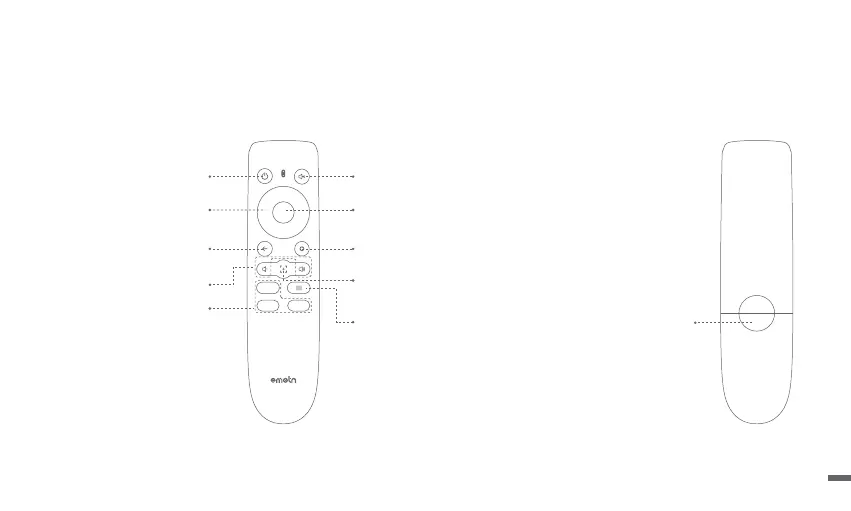
Battery Compartment
Remote Control
ㆍOpen the battery compartment cover of the remote control.
ㆍInstall 2 AAA batteries. *
ㆍPut back the cover.
* Please insert new batteries according to the polarity indication.
Power
Turn ON/OFF projector
Mute
Cuts off the sound temporality
Return
Return to the previous page
OK
Press to confirm a selection or entry
Pause/Resume play
Home
Access home page
Menu
Access more setting options during play
Focus Shortcut
Press: Pop-up manual focus icon
Press and hold: Autofocus
App Buttons
Connect to the video streaming
Navigation
Volume Down/Volume Up
05



 To Next Page