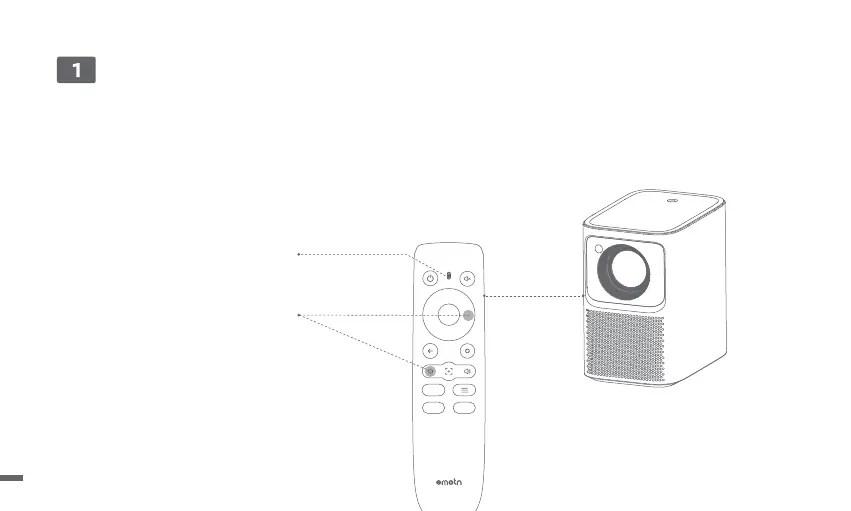
ㆍPlace the remote control within 10cm of the projector.
ㆍFor first-time use, follow the on-screen projector instructions: Press and hold [Volume Down] and [Right] simultaneously until an indicator light
begins flashing.
ㆍThis means that the remote control enters the pairing mode.
ㆍWhen the indicator light stops flashing, means connection is successful.
Remote Control Pairing
10 cm
Indicator light
Press and hold for pairing *
* If pairing is unsuccessful, repeat the above steps after the
remote control indicator light stops flashing.
06



 To Next Page