EasyManua.ls Logo

Emotron FDU40-026 - User Manual

Emotron FDU40-026
179 pages
Print Icon
To Next Page IconTo Next Page
Loading...
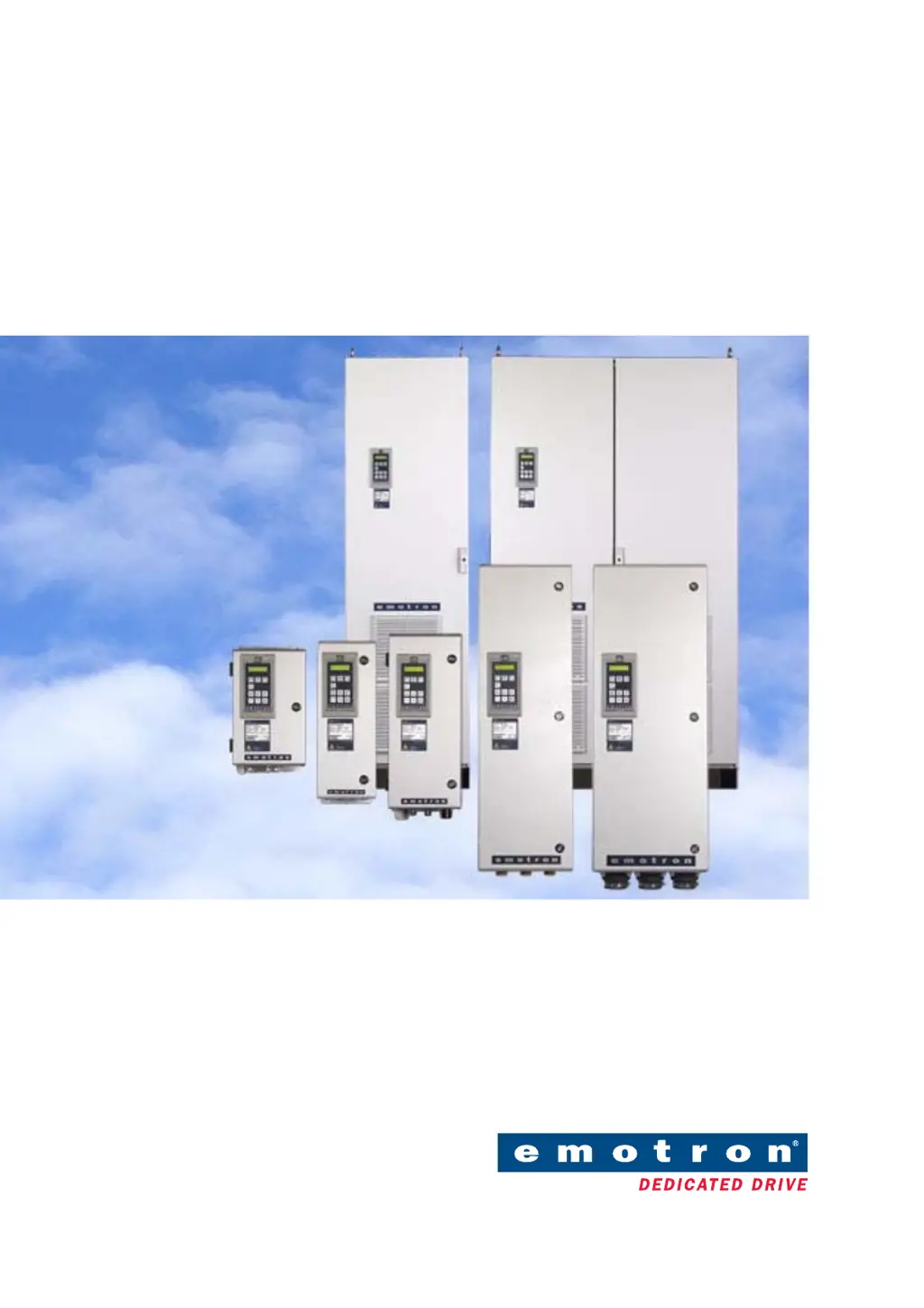
Emotron FDU 2.0
Variable Speed Drive
Instruction manual
English

Table of Contents

Questions and Answers

  • M
    Martin MirandaSep 4, 2025
    How to resolve communication error on Emotron Servo Drives?
    • A
      Andres JohnsonSep 4, 2025
      A communication error in Emotron Servo Drives indicates an issue with serial communication. Check the cables and connections, verify all serial communication settings, and restart the equipment, including the VSD.
  • B
    Brandon GarciaSep 18, 2025
    What causes pump error in Emotron FDU40-026 Servo Drives?
    • C
      colleenjohnsonSep 18, 2025
      If your Emotron Servo Drives display a pump error, no master pump can be selected due to an error in feedback signaling. Check the cables and wiring for pump feedback signals and verify the settings related to the pump feedback digital inputs.
  • L
    Lori PetersenSep 16, 2025
    What does Mon MinAlarm mean on Emotron FDU40-026 Servo Drives?
    • A
      Alexis HeathSep 16, 2025
      If your Emotron Servo Drives display a 'Mon MinAlarm', the minimum alarm level (underload) has been reached. Check the load condition of the machine.
  • L
    Lindsay SmithSep 14, 2025
    What causes Mon MaxAlarm on Emotron FDU40-026?
    • M
      Mike SellersSep 14, 2025
      If your Emotron Servo Drives are triggering a 'Mon MaxAlarm', the maximum alarm level (overload) has been reached. Check the load condition of the machine.
  • C
    corey94Sep 12, 2025
    What to check if Emotron FDU40-026 show Ext Mot Temp error?
    • J
      jjohnsonSep 13, 2025
      If your Emotron Servo Drives display 'Ext Mot Temp', an external input (DigIn 1-8) is active, potentially due to an active low function on the input. Check the equipment that triggers the external input and verify the programming of the digital inputs DigIn 1-8.
  • S
    scarterSep 12, 2025
    What does Ext trip mean on Emotron FDU40-026 Servo Drives?
    • P
      Patrick JamesSep 12, 2025
      If your Emotron Servo Drives are showing an external trip, it means an external input (DigIn 1-8) is active, possibly due to an active low function on the input. Check the equipment initiating the external input and verify the programming of the digital inputs DigIn 1-8.
  • K
    Kari MillsSep 9, 2025
    How to fix PT100 error on Emotron Servo Drives?
    • G
      Gabriela GrossSep 9, 2025
      If your Emotron Servo Drives display a PT100 error, it indicates that the motor PT100 elements have exceeded the maximum level. Check for mechanical overload on the motor or machinery and inspect the motor cooling system. Ensure that a self-cooled motor is not under too high a load at low speed. You can also set PT100 to OFF.
  • R
    Ricky GaySep 7, 2025
    What does PTC error mean on Emotron Emotron FDU40-026?
    • A
      austin01Sep 7, 2025
      If your Emotron Servo Drives are showing a PTC error, the motor thermistor (PTC) has exceeded its maximum level. Check for mechanical overload on the motor or machinery, inspect the motor cooling system, and ensure a self-cooled motor isn't under too high a load at low speed. You can also set PTC to OFF.
  • J
    Julia JacobsSep 5, 2025
    What does motor I2t error mean on Emotron Servo Drives?
    • W
      William LyonsSep 6, 2025
      The 'Motor I2t' error in Emotron Servo Drives means the I2t value has been exceeded, indicating an overload on the motor based on programmed I2t settings. Check for mechanical overloads on the motor or machinery, such as issues with bearings, gearboxes, chains, or belts. You might also need to adjust the 'Motor I2t Current' setting.
  • M
    Michael ArroyoAug 20, 2025
    What to do if Emotron Servo Drives show over current fault?
    • T
      tammy68Aug 21, 2025
      If the motor current exceeds the peak VSD current in your Emotron Servo Drives, it could be due to several reasons. You might have too short acceleration time, excessive load change, or even a soft short-circuit. Check the acceleration time settings, motor load, motor cable connections, earth cable connection, and for any moisture in the motor housing. Also, consider lowering the level of IxR Compensation.

Summary

Safety Instructions

Handling the Variable Speed Drive

Guidelines for installation, commissioning, demounting, and measurements.

Opening the Variable Speed Drive

Precautions before opening, touching control board when powered.

Precautions with Connected Motor

Disconnect mains before working on motor/machine. Wait 5 mins.

Mounting Instructions

Installation Procedures

Motor and Mains Cable Connections

Guidelines for connecting screened motor cables and mains cables.

Control Connections

Terminal Connections

Table of default functions for control signals, inputs, and outputs.

Getting Started

Main Features

Motor Identification Run

Measures motor parameters for optimal performance and fine-tuning.

EMC and Machine Directive

EMC Standards Compliance

VSD compliance with EN(IEC)61800-3:2004 standards and categories.

Stop Categories and Emergency Stop

Defines Stop Categories 0, 1, 2 and Emergency Stop function requirements.

Control Panel Operation

Functional Description

Main Setup and Motor Data

Key VSD setup parameters including operation modes, motor voltage, frequency, and power.

Motor Protection Features

Configuration of Motor I2t Type, Current, Time, Thermal Protection, and Motor Class.

Trip Conditions and Alarms

Settings for various trip conditions like Over Temperature, Overvolt, Motor Lost, and Alarms.

Process and Application Parameters

Parameters for optimizing process control: reference values, process settings, and speed adjustments.

Start;Stop Settings and Brake Control

Configuring acceleration/deceleration times, start/stop modes, and mechanical brake control.

Load Monitor and Process Protection

Functions to monitor load and protect against overload/underload using alarms and load types.

Troubleshooting, Diagnoses, and Maintenance

Trips, Warnings, and Limits

Understanding VSD states: trips, warnings, and limits indicating operational status.

Trip Conditions and Remedial Actions

Table of trip conditions, possible causes, and recommended remedial actions.

Technical Data

Electrical Specifications by Model

Motor power data (current, power) at various mains voltages (400V, 460V, 525V).

General Electrical Specifications

Specifications for mains, outputs, inputs, relays, and references.

Menu List Reference

Emotron FDU40-026 Specifications

General IconGeneral
IP RatingIP20
Supply Voltage400-480 V AC
Input Voltage400-480 V AC
Control TypeVector control
Communication InterfaceModbus
Protection FeaturesOvercurrent, overvoltage, undervoltage, overtemperature, short circuit

Related product manuals