EasyManua.ls Logo

Emotron FDU40-060 - User Manual

Emotron FDU40-060
179 pages
Print Icon
To Next Page IconTo Next Page
Loading...
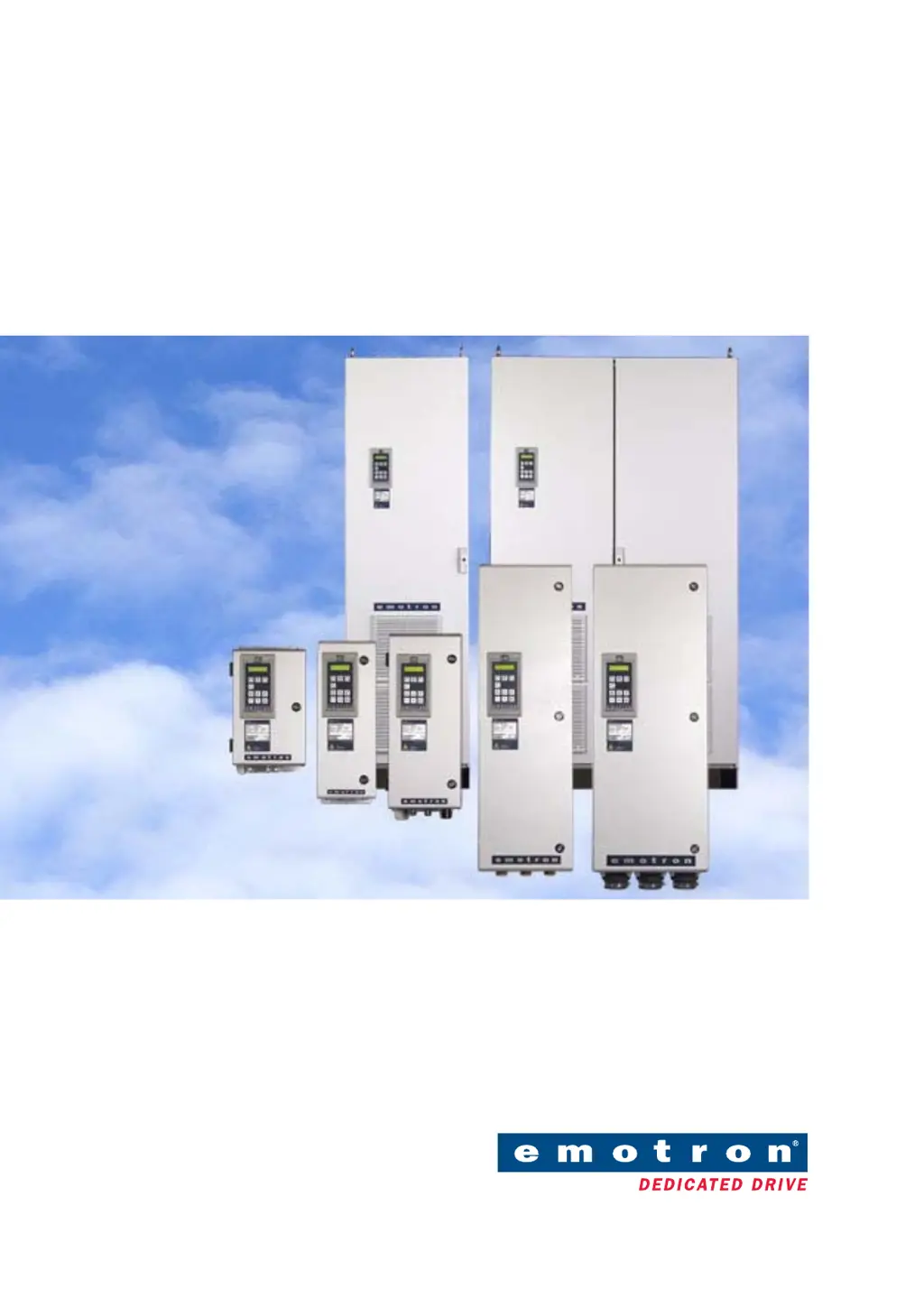
Emotron FDU 2.0
Variable Speed Drive
Instruction manual
English

Table of Contents

Questions and Answers

  • M
    Molly KaufmanSep 3, 2025
    How to resolve communication error on Emotron FDU40-060?
    • Z
      Zachary DixonSep 3, 2025
      A communication error in Emotron Servo Drives indicates an issue with serial communication. Check the cables and connections, verify all serial communication settings, and restart the equipment, including the VSD.
  • L
    laura83Sep 18, 2025
    What causes pump error in Emotron Servo Drives?
    • M
      Martha BeasleySep 18, 2025
      If your Emotron Servo Drives display a pump error, no master pump can be selected due to an error in feedback signaling. Check the cables and wiring for pump feedback signals and verify the settings related to the pump feedback digital inputs.
  • J
    Jonathan SmithSep 16, 2025
    What does Mon MinAlarm mean on Emotron FDU40-060 Servo Drives?
    • E
      Eric YoungSep 16, 2025
      If your Emotron Servo Drives display a 'Mon MinAlarm', the minimum alarm level (underload) has been reached. Check the load condition of the machine.
  • D
    Dana SmithSep 14, 2025
    What causes Mon MaxAlarm on Emotron FDU40-060 Servo Drives?
    • D
      Debra RomeroSep 14, 2025
      If your Emotron Servo Drives are triggering a 'Mon MaxAlarm', the maximum alarm level (overload) has been reached. Check the load condition of the machine.
  • K
    Kristina WilliamsSep 12, 2025
    What to check if Emotron Servo Drives show Ext Mot Temp error?
    • D
      Debra JohnsonSep 12, 2025
      If your Emotron Servo Drives display 'Ext Mot Temp', an external input (DigIn 1-8) is active, potentially due to an active low function on the input. Check the equipment that triggers the external input and verify the programming of the digital inputs DigIn 1-8.
  • B
    Beth GreenSep 12, 2025
    What does Ext trip mean on Emotron Servo Drives?
    • S
      sarahjonesSep 12, 2025
      If your Emotron Servo Drives are showing an external trip, it means an external input (DigIn 1-8) is active, possibly due to an active low function on the input. Check the equipment initiating the external input and verify the programming of the digital inputs DigIn 1-8.
  • T
    troybrownSep 9, 2025
    How to fix PT100 error on Emotron FDU40-060 Servo Drives?
    • T
      Todd DixonSep 9, 2025
      If your Emotron Servo Drives display a PT100 error, it indicates that the motor PT100 elements have exceeded the maximum level. Check for mechanical overload on the motor or machinery and inspect the motor cooling system. Ensure that a self-cooled motor is not under too high a load at low speed. You can also set PT100 to OFF.
  • J
    Jennifer EllisSep 7, 2025
    What does PTC error mean on Emotron Emotron FDU40-060?
    • L
      Leon MoralesSep 7, 2025
      If your Emotron Servo Drives are showing a PTC error, the motor thermistor (PTC) has exceeded its maximum level. Check for mechanical overload on the motor or machinery, inspect the motor cooling system, and ensure a self-cooled motor isn't under too high a load at low speed. You can also set PTC to OFF.
  • H
    Haley AndersonSep 5, 2025
    What does motor I2t error mean on Emotron FDU40-060 Servo Drives?
    • C
      Chase WrightSep 5, 2025
      The 'Motor I2t' error in Emotron Servo Drives means the I2t value has been exceeded, indicating an overload on the motor based on programmed I2t settings. Check for mechanical overloads on the motor or machinery, such as issues with bearings, gearboxes, chains, or belts. You might also need to adjust the 'Motor I2t Current' setting.
  • J
    Jessica BennettAug 20, 2025
    What to do if Emotron FDU40-060 Servo Drives show over current fault?
    • M
      Michael HernandezAug 21, 2025
      If the motor current exceeds the peak VSD current in your Emotron Servo Drives, it could be due to several reasons. You might have too short acceleration time, excessive load change, or even a soft short-circuit. Check the acceleration time settings, motor load, motor cable connections, earth cable connection, and for any moisture in the motor housing. Also, consider lowering the level of IxR Compensation.

Summary

Safety Instructions

Handling the variable speed drive

Guidance for personnel qualified for installation, commissioning, and demounting tasks.

Opening the variable speed drive

Precautions for opening the VSD, including switching off mains and waiting for capacitor discharge.

Precautions to be taken with a connected motor

Disconnect mains voltage before working on connected motor or driven machine.

Earthing

The variable speed drive must be earthed via the mains safety earth connection.

Earth leakage current

VSD has earth leakage current; protective earth conductor size must comply with regulations.

Residual current device (RCD) compatibility

Only Type B RCD allowed for protection; minimum 300 mA RCD required.

Incorrect connection

VSD not protected against incorrect mains voltage connection; can cause damage.

Heat warning

DC-link residual voltage

2. Mounting

3. Installation

3.1 Before installation

Checklists and considerations before commencing installation.

3.2 Cable connections

Guidance on selecting cable types and screening according to EMC requirements.

3.5 Connect motor and mains cables

Steps for connecting thick motor and mains cables to the VSD.

4. Control Connections

4.2 Terminal connections

Description of terminal strip functions for control signals and default functions.

4.5 Connecting the Control Signals

Guidance on connecting control signals, including cable selection and screening.

5. Getting Started

5.1 Connect the mains and motor cables

Dimensioning mains and motor cables according to local regulations.

5.2 Connect control cables

Wiring for starting the motor/VSD with right rotation using screened control cables.

7. Main Features

7.5 Load Monitor and Process Protection [400]

Protecting machines and processes against overload/underload.

8. EMC and Machine Directive

8.1 EMC standards

Variable speed drive complies with EN(IEC)61800-3:2004 standards, category C3.

8.2 Stop categories and emergency stop

Information on EN 60204-1 stop categories and emergency stop requirements.

9. Operation via the Control Panel

10. Serial communication

11. Functional Description

11.3 Main Setup [200]

Key settings for VSD operation, including motor data and protection.

11.3.3 Motor Data [220]

Entering motor data to adapt VSD for optimal control and read-outs.

11.3.4 Motor Protection [230]

Protecting the motor against overload based on IEC 60947-4-2.

11.3.6 Trip Autoreset;Trip Conditions [250]

Automatic reset for occasional trips to maintain process operation.

11.5 Load Monitor and Process Protection [400]

Functions to monitor load and protect machines against overload/underload.

12. Troubleshooting, Diagnoses and Maintenance

12.1 Trips, warnings and limits

Explanation of VSD operating variables, safety limits, and trip/warning indications.

12.2 Trip conditions, causes and remedial action

Basic aid to finding causes of system failures and solving problems.

13. Options

13.9 Safe Stop option

Configuration for Safe Stop according to EN954-1 Category 3.

14. Technical Data

14.1 Electrical specifications related to model

Typical motor power and current ratings for VSD models at different voltages.

14.2 General electrical specifications

General electrical parameters including mains voltage, frequency, and signal I/Os.

Emotron FDU40-060 Specifications

General IconGeneral
Supply Voltage380-480 VAC
IP ClassIP20
Input voltage380-480 VAC
Protection classIP20
Frequency range0-300 Hz

Related product manuals