Home
Empatica
Medical Equipment
EmbracePlus
Page 27
Empatica EmbracePlus - Page 27
133 pages
Manual
Save Page as PDF
To Next Page
To Next Page
To Previous Page
To Previous Page
Loading...
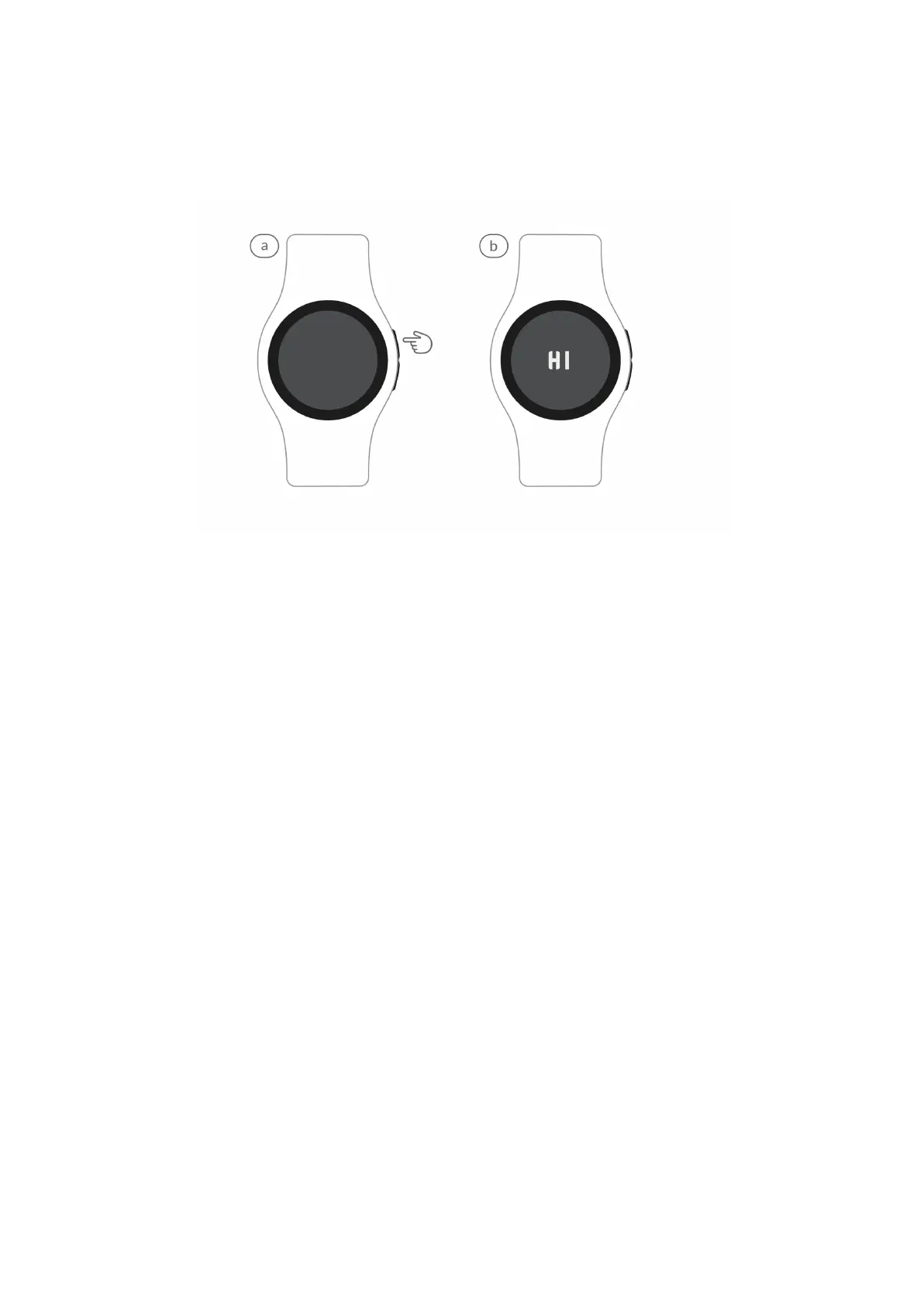
STEP 2: TURN ON EMBRA
CEPLUS
a.
T
urn
on
Embr
acePlus
by
pressing
the
upper
button,
as
indicated
b
y
the small hand on the stick
er
.
b.
Embr
acePlus
will
greet
you
with
a
HI.
If
nothing
happens,
you
ma
y
need to
charge it. Remov
e the stick
er and proceed.
26
26
28
Table of Contents
Main Page
Table of Contents
2
Introduction
3
Intended Use
5
Indication for Use Statement
6
Documentation Features
9
Safety Considerations
12
Embraceplus Disposal
14
Cybersecurity
15
Embraceplus User Manual
19
Index Embraceplus
20
Embraceplus at a Glance
23
Using Embraceplus for the First Time
26
Using Embraceplus in Daily Life
34
Troubleshooting
49
Faqs
55
Care App User Manual
60
Empatica Support Center
99
Technical Specifications & Performance Characteristics
101


 To Next Page