Need help?
Do you have a question about the Empress Effects ParaEq MKII and is the answer not in the manual?
Best for cutting specific frequencies without affecting surrounding ones.
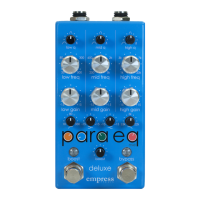
Selects center frequencies to boost or cut for each band.
Determines boost/cut amount, ranging from -15dB to +15dB.
Controls output level, offering a clean boost from 0 to +30 dB.
Toggles the boost section on/off; LED indicates status.
Q switches determine frequency range affected by the equalizer.
Affects wide frequency range, approx 1.5 octaves.
Affects some frequencies, good for overall tone shaping.
Affects very narrow frequency range, approx 1/3 octave.
Toggles effect on/off, supports true/buffered bypass.
Unplug/replug while holding boost and bypass switches to enter.
Toggle bypass/boost modes using stomp switches.
Hold both tap and bypass switches to exit.
Low cut for room, mid boost for sweet spot, high cut for shrill frequencies.
 General
| Type | Parametric Equalizer |
|---|---|
| Channels | 1 |
| Frequency Range | 20Hz - 20kHz |
| Gain Range | +/- 15dB |
| Input Impedance | 1 MΩ |
| Output Impedance | 100 Ω |
| Current Draw | 100mA |
| Bypass Switching | True Bypass |
| Inputs | 1 x 1/4\" (instrument level) |
| Outputs | 1 x 1/4\" (instrument level) |
| Power Supply | 9V DC (center-negative) |
| Polarity | Center-negative |

 To Next Page