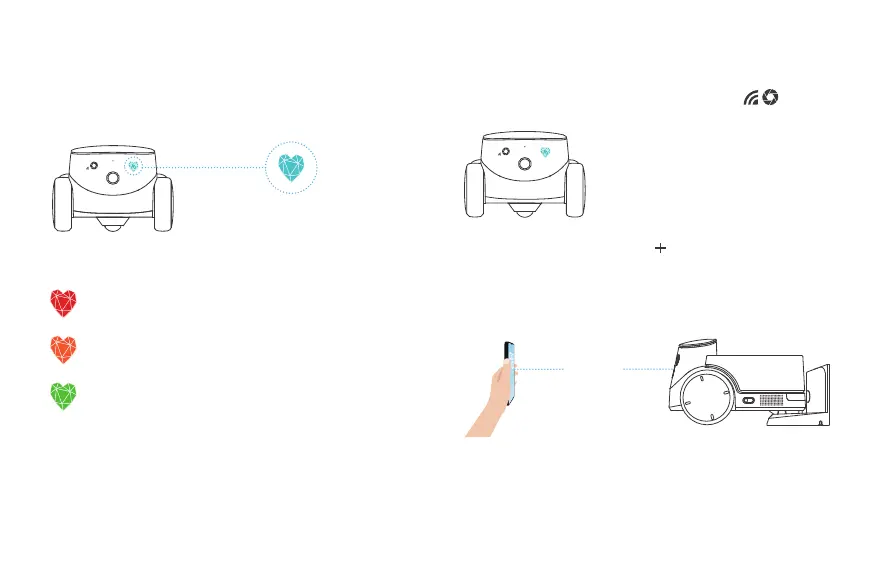
3. When the robot has successfully connected to the network, it will
emit a successful binding sound and the App will alert you that the
binding is successful.
Note: Putting the robot on the charging station will guarantee sufficient battery
during the networking process.
Robot Networking Instructions
5. When the robot is charging normally at the charging station, its
battery status will be indicated by the color of the robot's facial light.
RED: battery is under 20%
ORANGE: battery is between 20% - 50%
GREEN: battery is over 50%
2. Download the ROLA APP, click " " in the upper left corner to
add a device, and follow the steps to prepare your robot for
network access. Please pay careful attention and fill iin the correct
WI-FI name and password. After generating the QR code, scan the
code about 15cm away from the robot to connect it with the
network.
10~15cm
1. After the robot is turned on, the indicator lights start
blinking. The robot has now entered the QR-code binding state.
06


 To Next Page