Charging Station Instructions
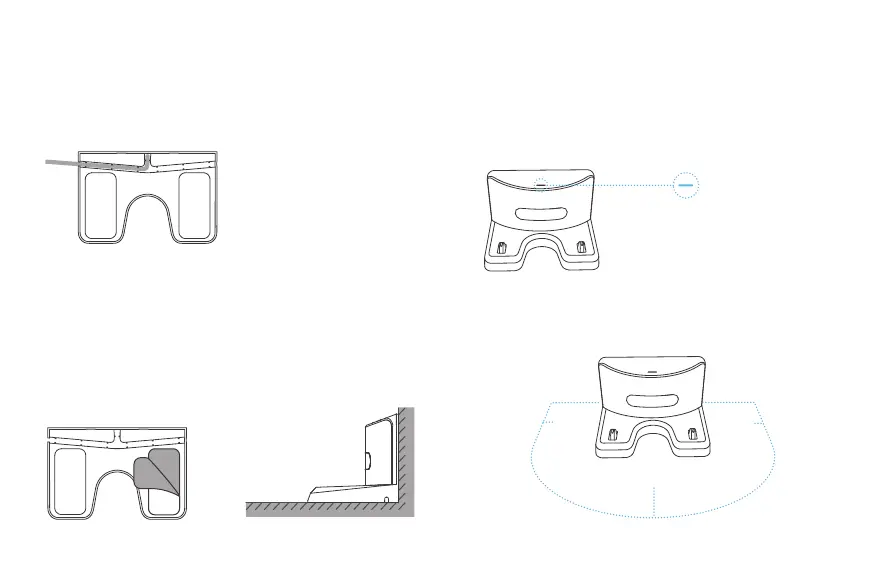
4. Make sure the area 1.5 meters in front of the charging station and
1.0 meter to the left and right of the charging station are kept clear,
so the robot can return to charge.
3. Once the charging station is powered on, the cyan indicator will
start blinking if there is a device charging. If there is no device
charging or the device is fully charged, the indicator will remain on
without blinking.
2. Tear off the transparent anti-slip film on the bottom of the
charging station; choose a position against the wall to place the
charging station; place the back of the charging station flat against
the wall, and place the bottom flat against the ground.
1. Insert the USB cable into the base slot to ensure that there is no
gap between the charging station and the ground.
>1.5m
>1.0m >1.0m
05


 To Next Page