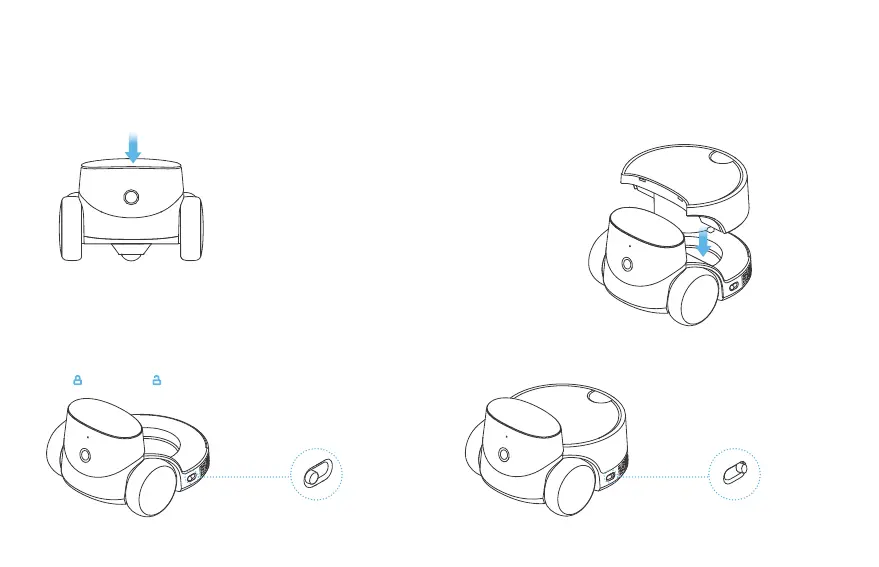
3. By pressing the mechanical button on the robot’s head: you
can call the owner in the App.
(2) Align the accessory with the limit slot and attach. Please
ensure that there are no obstacles blocking the contact point
between the accessory and the host.
4. Robot Accessories Replacement︓
(1) Before replacing accessories, you need to open the locks on
both sides of the robot.
Note: means closed, means open.
(3) After placing, press the accessory downwards and lock it in.
04


 To Next Page