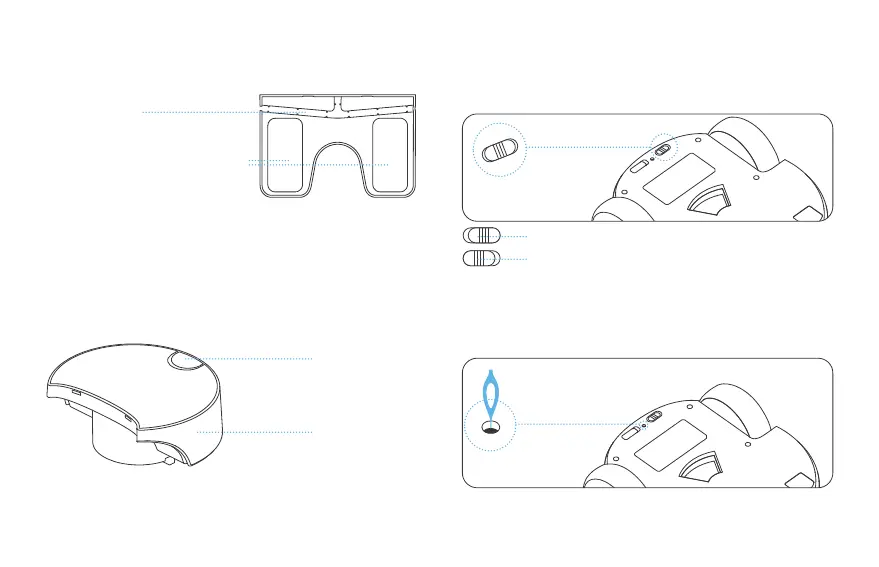
1. To turn the robot ON and OFF:
Robot Usage Instructions
Safety Switch
Storage Module
Anti-Slip Sticker for Charging Station
Secure Cable Slot
Toggle switch ON to turn on the robot.
Toggle switch OFF to turn off the robot.
2. To RESET the robot: using the tip of the pin, press and hold the
button inside the reset pinhole for more than 5 seconds, until the
robot emits a reset success sound. Then the rest is successful.
Note: The reset operation will not clear the memory card. Please format the SD
card in the App.
03


 To Next Page