Need help?
Do you have a question about the Enbrel AutoTouch Connect and is the answer not in the manual?
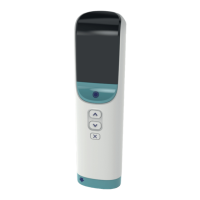
Identifies and describes key external parts like grip, button, and window.
Details buttons, progress bars, and speed switches for operation.
Explains sound switch, injection end, skin sensor, and site light.
Details on components like labeled side, expiry, window, and cap before injection.
Description of the cartridge's state post-injection.
Identification of the plunger rod and the cartridge when loaded into the device.
Explains the sounds associated with the injection process.
Describes the visual cues during an injection.
Introduces error symbols and their meaning.
Covers battery status and temperature-related error symbols.
Details errors related to the Enbrel Mini cartridge and general device problems.
Explains symbols for needle exposure and autoinjector failure.
Introduces common issues encountered with the device.
Addresses problems with starting injections and loading cartridges.
Covers injection interruptions, door problems, and sound issues.
Explains issues with cartridge ejection and injection speed.
Recommended and prohibited storage practices for the autoinjector.
Recommended and prohibited handling practices for the autoinjector.
Recommended and prohibited storage practices for the cartridge.
Recommended and prohibited handling practices for the cartridge.
Recommended methods for cleaning the autoinjector.
Prohibited methods for cleaning the autoinjector.
Details the functionality and purpose of the Embark app.
Steps to follow if the paired mobile device is lost or replaced.
Specifies the autoinjector's IP rating for protection against dust and water.
Outlines optimal temperature, humidity, and altitude for device operation.
Outlines optimal temperature, humidity, and altitude for device storage.
Explains data transfer, security protocols, and connection quality.
Details RF emissions and electromagnetic compatibility guidelines for the device.
Covers battery type, enclosure, weight, and physical dimensions of the autoinjector.
Lists medical conditions or environments where the device should not be used.
 General
| Brand | Enbrel |
|---|---|
| Model | AutoTouch Connect |
| Category | Medical Equipment |
| Language | English |

 To Next Page