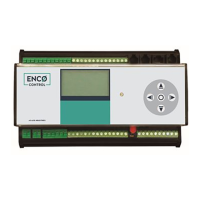
ENCO Control
Technical description
•Kulautuvos g. 45a , LT-47190 Kaunas •Tel. (+370 37) 360234 •Faks. (+370 37) 360358 •info@axis.lt • www.axis.lt
9
DHWECO temper.
Yes No
-10.0
DHWNIGHT temper.
Yes No
-7.5
1.2.9. Valves settings
1. Valve On 0
2. Valve Off 1
3. Full run 90
1.2.10. Pump settings
1. Pump inv. No
2. Twin. head No
3. Work time 24
4. Pump port 4
5. Pump port 2 6
6. Pump fail port 9
1.2.11. Temper. settings
1. T0 2
2. T1 1
3. T2 3
4. Tair 6
5. Troom 6
1.2.12. Temperatures
1. Cut of Tair 14.0
2. Hister. Tair 5.0
3. Tout low lim. 5.0
4. Width zone 0 0.5
5. Width zone 1 1.5
6. Aver. Const 10
7. Propor.band 0 80
8. Propor.band 1 60
2.
2. General settings
1. Connect. type Ethr
2. Modem settings
3. DHCP settings
4. Ping settings
5. NTP settings
6. Summer correct. On
7. Reboot On
8. Reboot per. 1440
9. UDP hello 37770
10.Device ID 1
11.Firmw. Vers. 1.16
12.FDate Apr 27 2012
13.FTime 15:41:31
You can select "LAN" or "GPRS".
2.1. Connect. type
1. Ethr
2. GPRS
If you use GPRS connection, then you will need to set your modem settings "Modem settings":
2.2. Modem settings
1. Port settigs
2. GPRS ping On
3. GPRS period 100
4. IP 192.168.0.1
5. Check signal On
6. Chack sim pin On
7. SIM card pin 3438
Settings of serial port of modem
GSM network signal strength
If you using a LAN connection, you can set a fixed IP address or activate the automatic IP
address assignment via DHCP:


 To Next Page
 Loading...