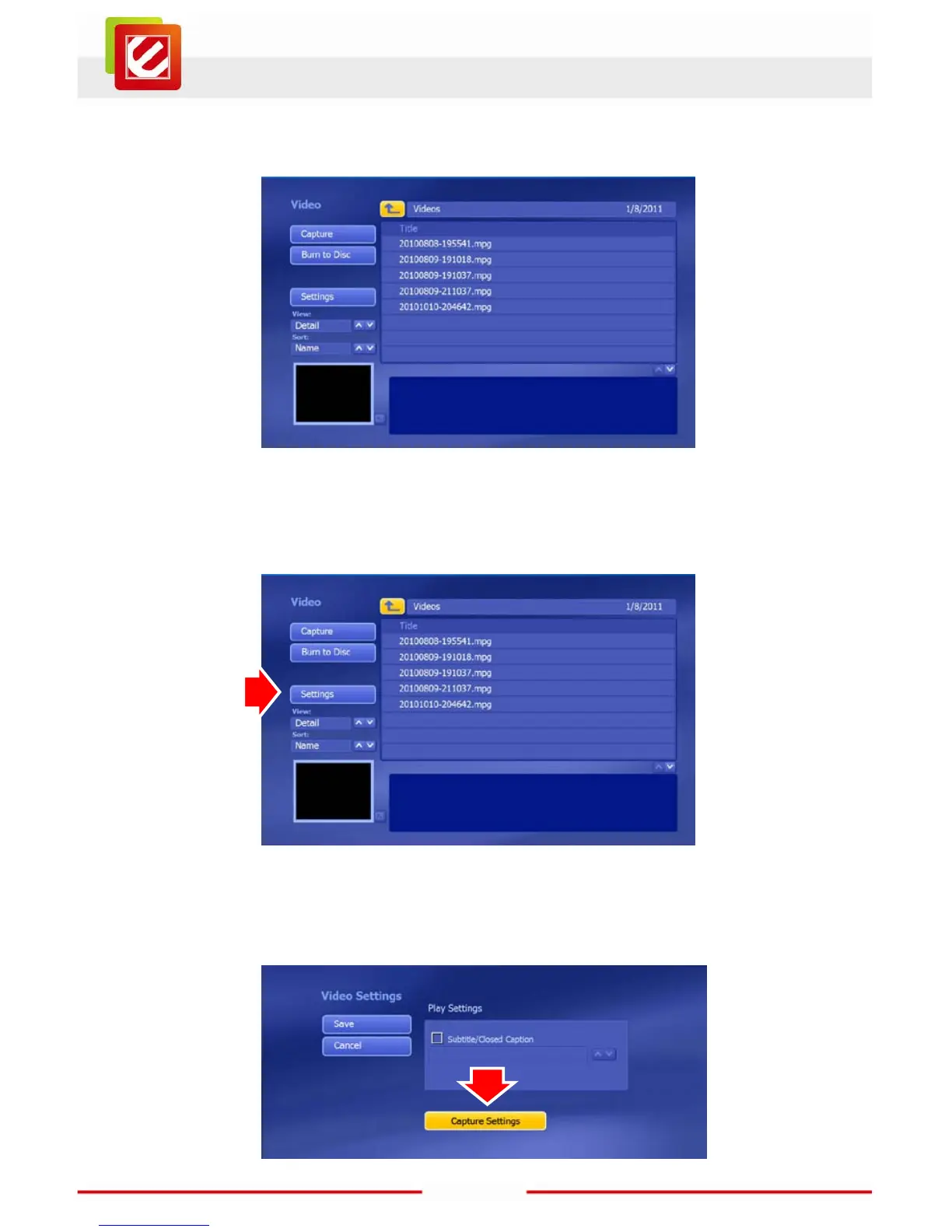
You’ll see a page as below. The black rectangle on the down left will display your images
once you start the video source and the capture.
First test your software is working properly by playing the video you want to record. Click
the “Settings” button.
When the Video Settings page appears, click the “Capture Settings” button. The Capture
Settings page should load.



 To Next Page