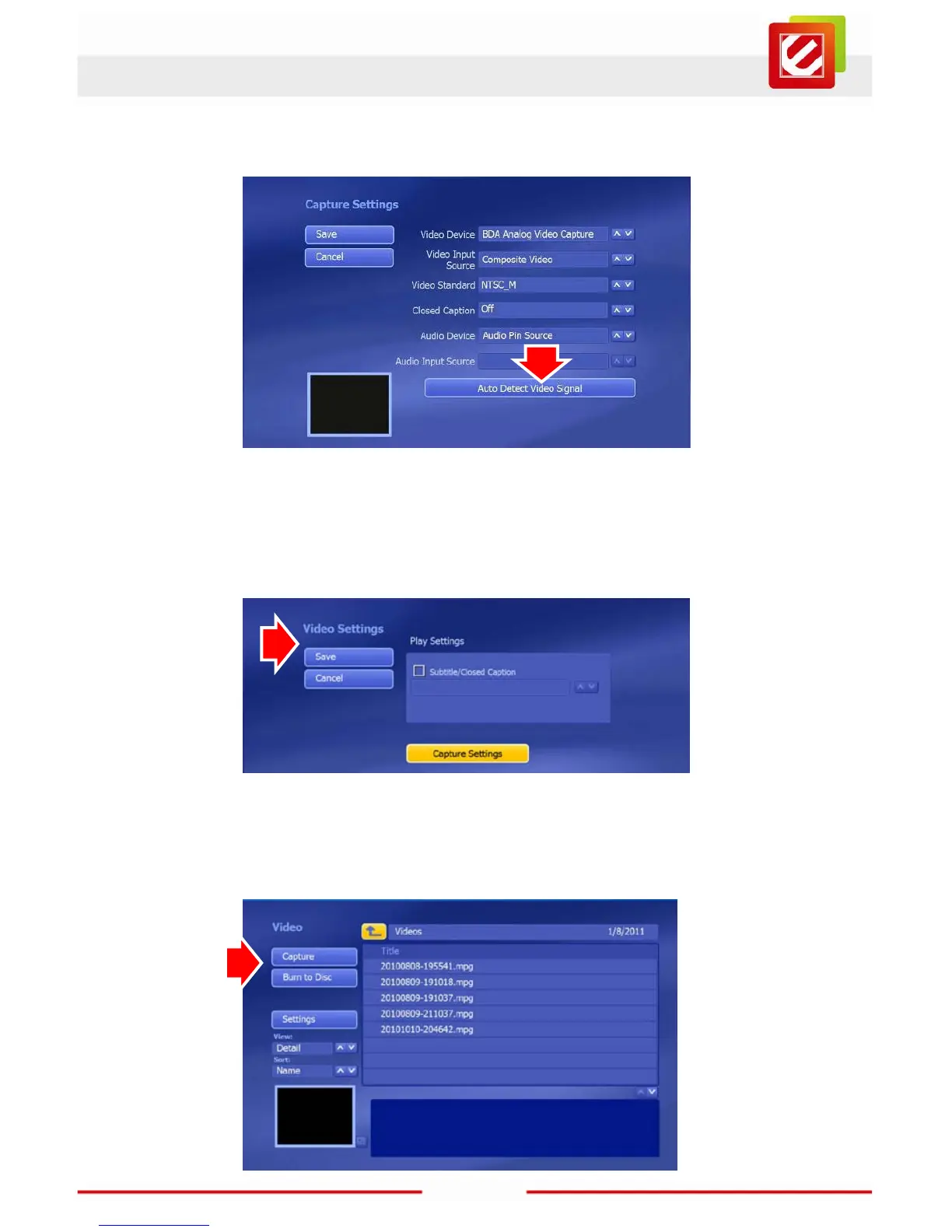
Click the “Auto Detect Video Signal” button and wait a few seconds. Then click the
“Save” button in the upper left to save your work and return to the Video Settings page.
Once the Video Settings page has loaded, click the “Save” button to go back to the Video
screen. Then you can check your test video.
Now wind the video to where you want your recording to start. Click “Capture” to load the
Capture page.



 To Next Page