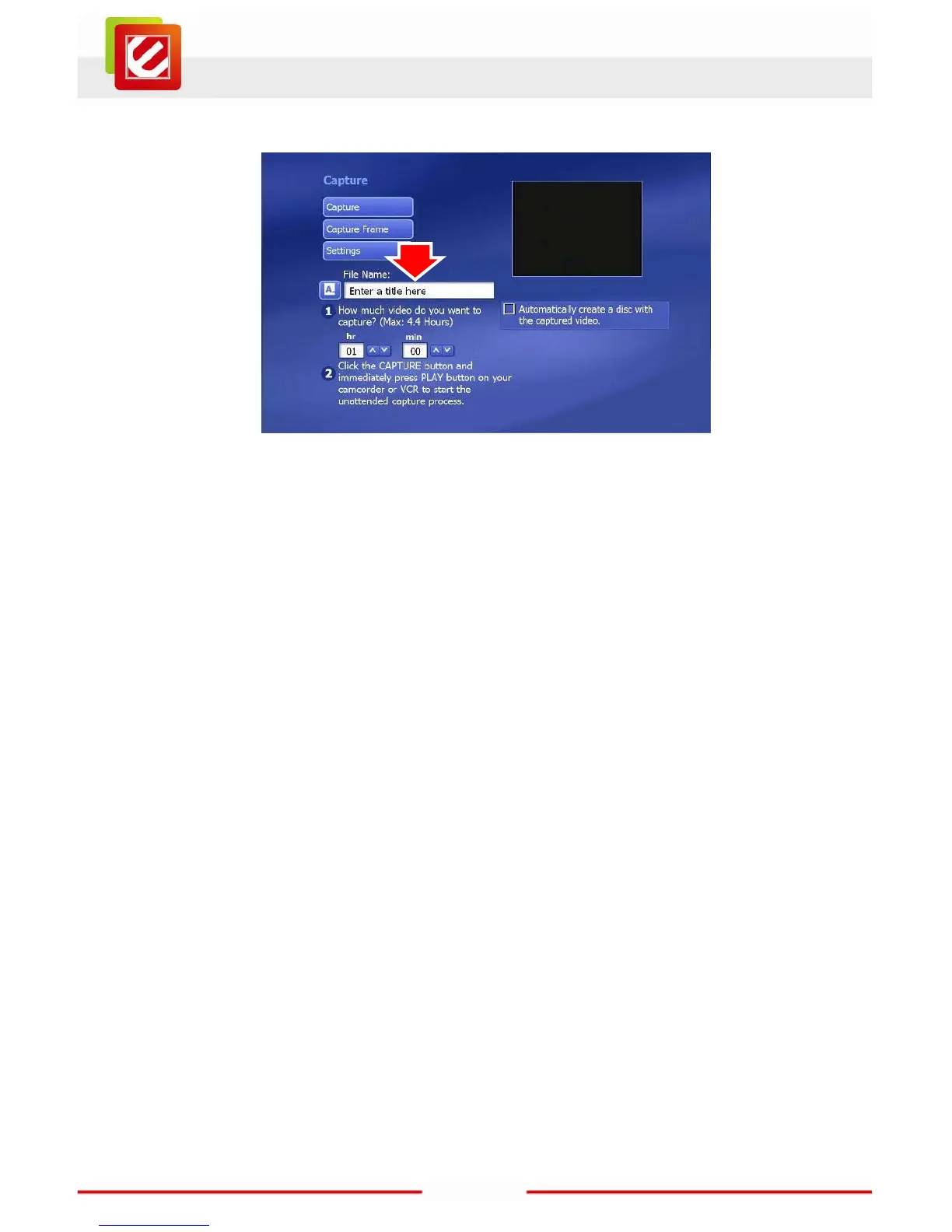
You can enter a name for your recording into the “File Name” field.
Note:
If your video source is a DV camcorder, you’ll be asked to choose whether you
want the video stored in “DV-AVI” format or “MPEG-2” format (that’s the format
used for movie DVDs). For important footage, the DV-AVI format is usually the
better choice if you have the space. DV-AVI files are normally higher quality and
better for editing later, but they’re also bigger than MPEG-2 versions of the
same source video. Depending on your format decision, various options may
be available to you.
To interrupt the recording for any reason, just click the "Stop" button in the upper left of the
Capture page.
It’s sometimes hard to estimate the exact length of a recording you want to create, so we
recommend you enter a longer time than the video you want to capture (you’ll see an
estimate of the available recording time on your disk). Don’t worry about extra footage
because you can easily trim off the excess at the start and end using the editor.



 To Next Page