12
Fitness Test: Press the Pulse Recovery Button
The fitness note is for personal orientation and compares the pulse rate before and after training. You
will notice that your fitness will improve when exercising regularly.
1. Press the pulse recovery button directly after a training session.
2. Hold the hand on pulse connections or leave the chest transmitter attached.
3. Time will count down from 60 to 0 seconds.
4. Your personal fitness note appears (F1.0 – F6.0) on the display.
F1.0 = Excellent F2.0 = Good F3.0 = Fair F4.0 = below average F5.0 = No Good
F6.0 = Poor
BUTTONS & POWER INTRODUCTION
Power This model has been supplied with a power adapter. The specification for the
adapter is 6V/1A.
Auto on Press any button or begin pedaling to automatically turn on the computer. If any
part of the display malfunctions check the power adaptor and all connections.
Auto off Without peddling the equipment after 4 minutes 16 seconds, the monitor will turn
off automatically.
PULSE RECOVERY Press this button to enter the fitness test. The ranking of the test resolute is from
F1.0 to F6.0.
USER Press this button to the personal data input.
ENTER
1. During the program choosing function, press this button to confirm the program you would like to do the exercise.
2. During the setting mode, Press this button to confirm the value you would like to set up.
3. During the start mode, press this button to chose the time, speed, distance, calorie, RPM, watt or pulse to display on the
bigger digital number.
4. In the body fat measurement program, press this button to read the next result after body
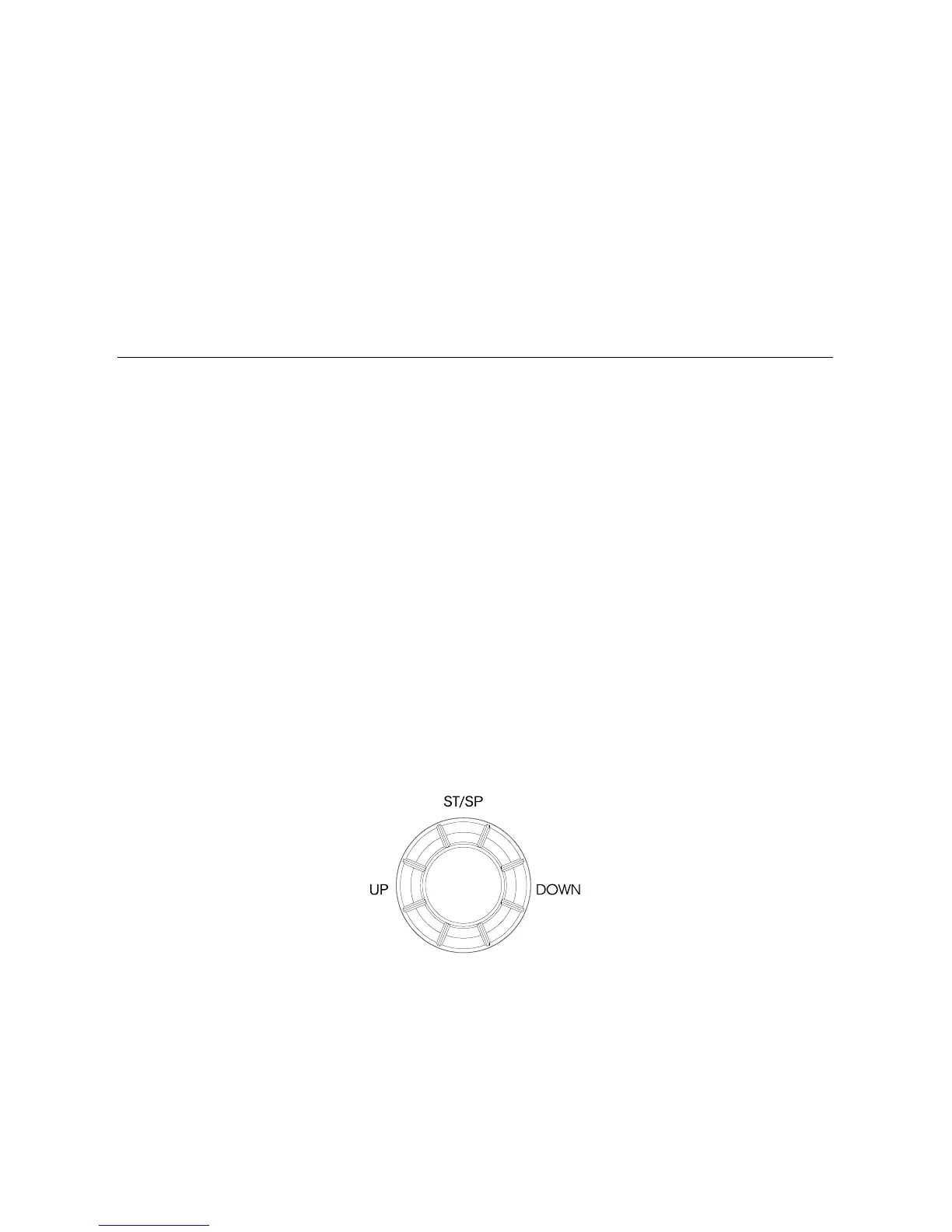
1. Turn the “ MODUS” button to select the program form Manual, Rolling, Valley, Fat Burn, Ramp,
Mountain, Intervals, User Setting Profile, Watt Control, 60% H.R.C. (Heart Rate Control Program),
75% H.R.C., 85% H.R.C., Body fat test to User Data.
2. Turn the “ MODUS” button to increase or decrease the setting value of Time, Distance, Calories,
height, weight, age, sex, and pulse.
3. During the start mode, Press this button to increase or decrease the resistance level.
4. Press the “ MODUS” button to start or stop exercise or begin to measure the body fat.







 To Next Page