11
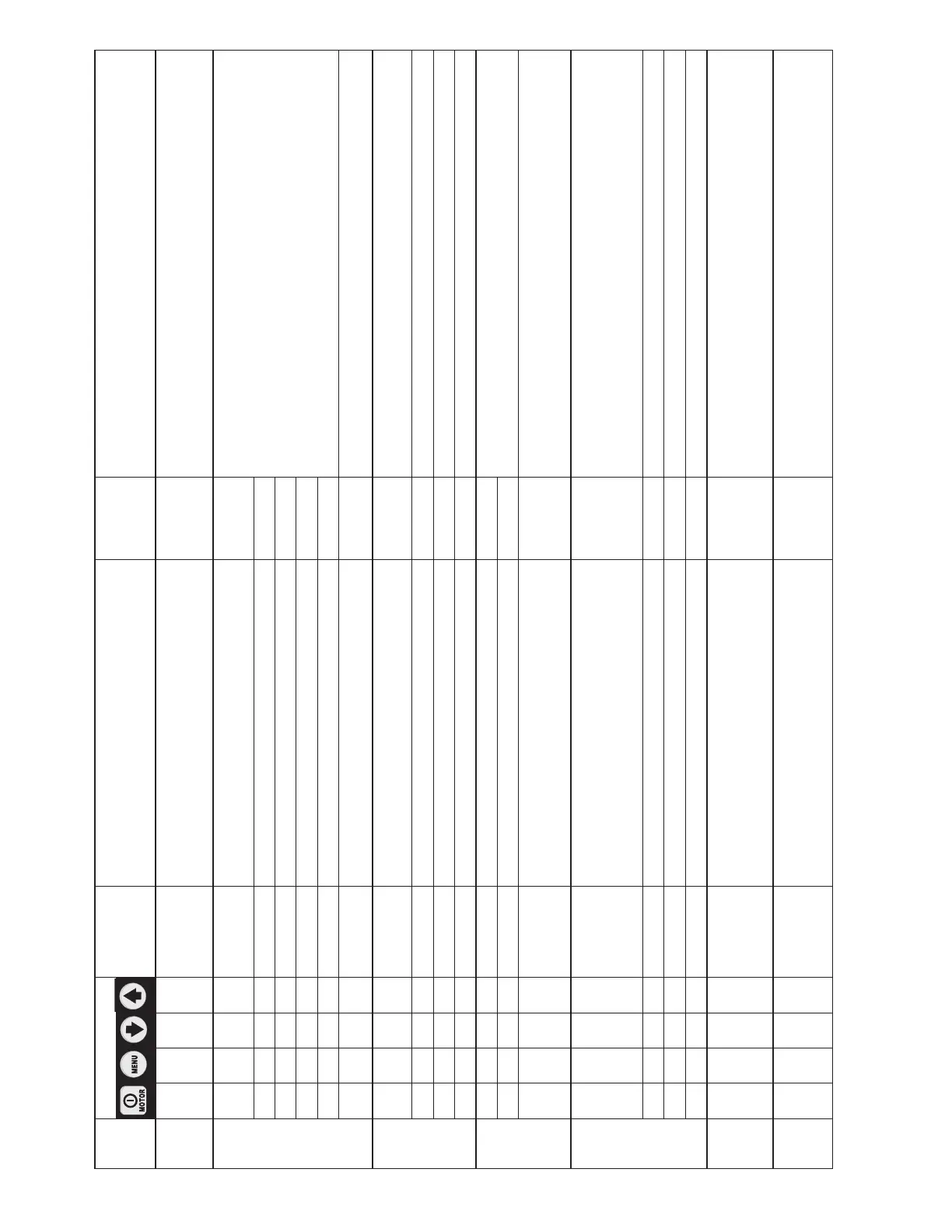
Table 1, QRC: Quick Reference Chart • Pump Firmware Version 7.x • Pump Type 5
Step Switch Text
Display
Expected reading / symbol / status
digital display
Units Comments
1 READY 0 PSI, BAR,
MPa, Ft-lb
or Nm
Firmware version 7.x, pump type 5,
and motor type UN will briefly appear on LCD.
“READY” appears after power on and boot sequence has completed.
2 X SET UNITS PSI
Save previous setting and step forward to select units,
Default is PSI.
Ft-lb or Nm = Torque Control Mode.
PSI, BAR or MPa = Pressure Control Mode.
X " Ft-lb
X " Nm
X " BAR
X " MPa
X Torque Control Mode: Save and step to #3 by pressing Menu button.
Pressure Control Mode: Save and step to #4 by pressing Menu button.
3 SET
RSL XX
If “Ft-lb” or “Nm” is selected:
List of available RSL wrench models will appear.
X " Next wrench model (each push). Scroll down list of available wrench models using the Down Arrow button.
X " Previous wrench model (each push). Scroll up list of available wrench models using the Up Arrow button.
X Save and step to #4 by pressing Menu button.
4 X AUTOMODE OFF
Toggle between “ON” and “OFF” using the Arrow buttons.
X ON
X Save and step to #4A or #4C by pressing Menu button.
Note: To step to #5 Motor screen, turn Automode OFF
and press Menu button once.
4A SET
RSL XX XXXXX (Ft-lb or Nm)
Ft-lb
or Nm
If “Ft-lb” or “Nm” is selected and Automode is ON:
Set max torque (Ft-lb or Nm) for selected wrench model
default is max torque.
Note: torque is not adjustable when Automode is OFF.
X Next lower torque value (each push). " Minimum torque will vary, depending on wrench model.
X Next higher torque value (each push). " Maximum torque will vary, depending on wrench model.
X Save and step to #4B by pressing Menu button for 3 seconds.
4B AUTO
or
READY
RSL XX 0 (Ft-lb or Nm)
Ft-lb
or Nm
Text Display:
Automode ON: Alternate between “AUTO” and wrench model.
Automode OFF: Alternate between “READY” and wrench model.
Numeric display will show “0” when motor is OFF.
4C SET
HI PRESS
XXXXX (PSI, BAR or MPa)
PSI, BAR
or MPa
If “PSI”, “BAR” or “MPa” is selected and Automode is ON.
Set max. pressure, default value is 10,000 psi (700 bar).
Note: pressure not adjustable when Automode is OFF.
(Continued on next page)






 To Next Page