ENERdan GmbH | Max-Planck-Straße 7, D-12489 Berlin, Deutschland |www.enerpower.de
Tel: +49 (0) 30 5770 344 35 | Fax: +49 (0) 30 5770 344 39 | sales@enerdan.de
5
5. Operation Procedure
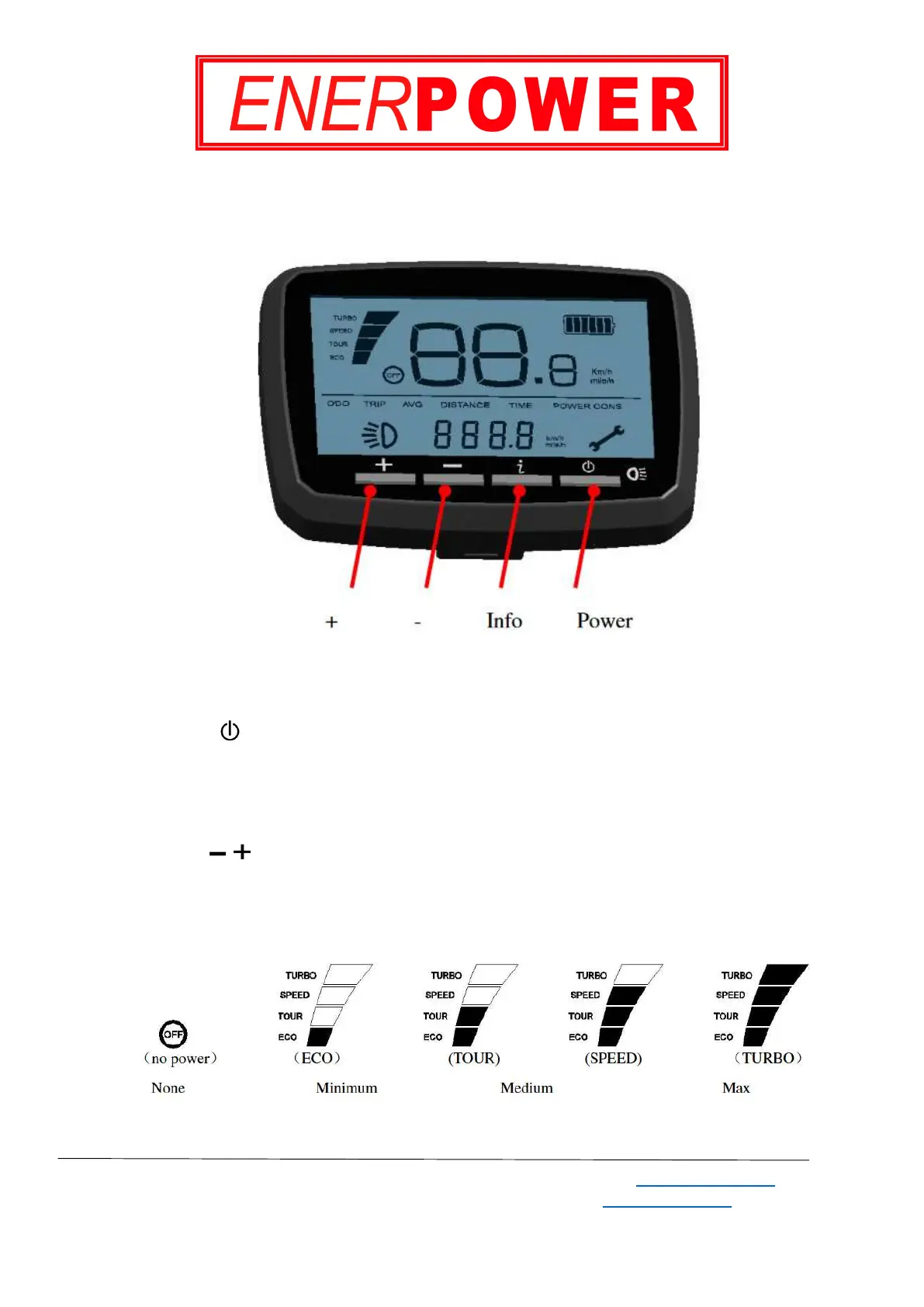
5.1 Button Definition
Image 4 - Buttons
5.2 Operation and Setting
Power, on/off
Press the Power button to switch on the display.
When the display is on, press and hold the display button for 2 seconds to switch the display
off. Note that the display turns off automatically after 5 minutes of inactivity.
Power Assist
There are 4 levels of assistance, which allows you to control the performance of the bicycle as well
as the consumption of the battery. Use the +/- buttons to adjust the power assist level. The default is
ECO (minimum) assist.
Image 5 - Power Assist Levels


 To Next Page