Multi-Function Gigabit Wireless-N Client Bridge Version 2.0
54
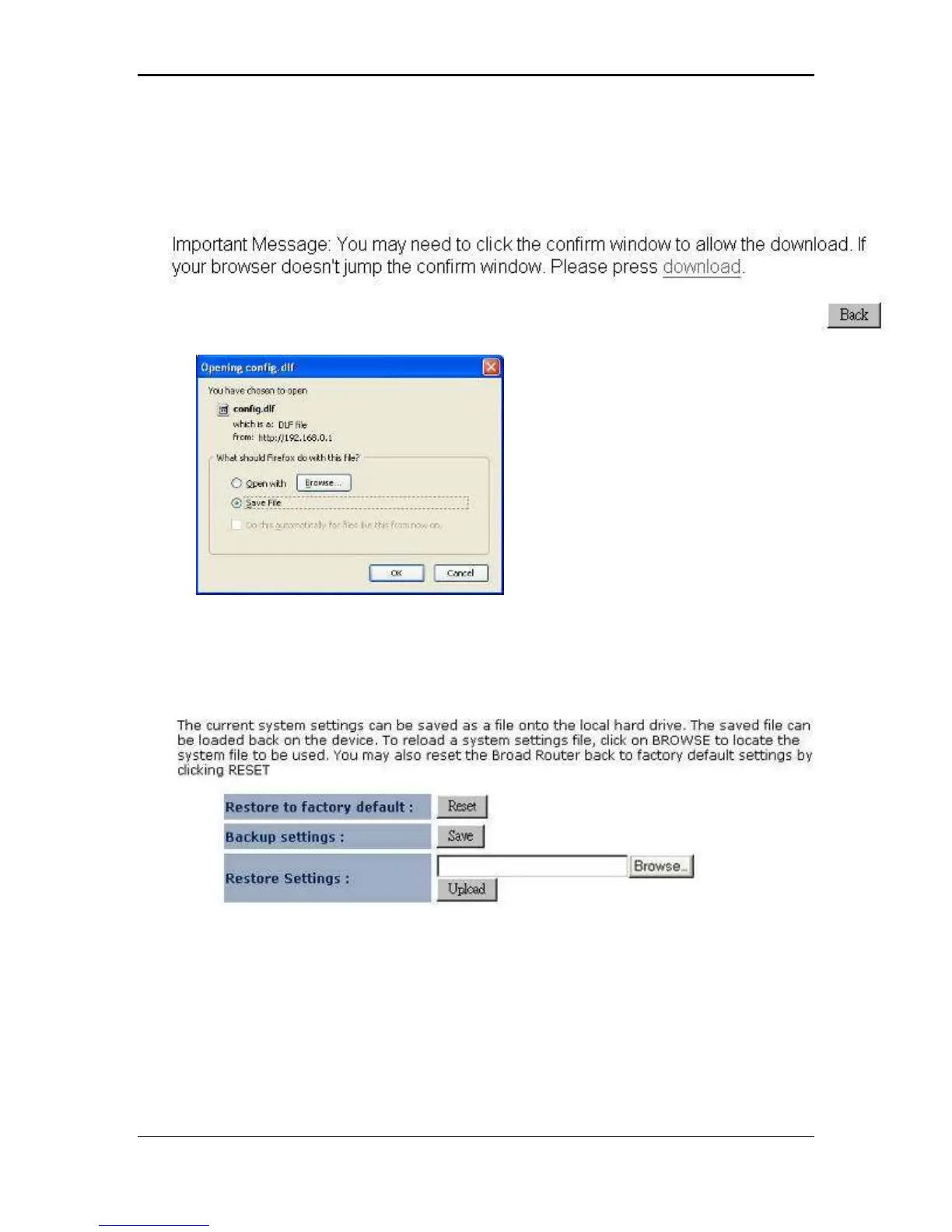
3.4.5 Backup Settings
Click on the Configure link in the navigation menu
Click on the Save button you will be provided with download link
Click on download link to save file to your local disk.
3.4.6 Restore Settings
Click on the Configure link in the navigation menu
Click on the Browse button to select the file that has been backed up and then click
on the Upload button.



 To Next Page