EasyManua.ls Logo

EnGenius ESR-9753 - User Manual

EnGenius ESR-9753
94 pages
Print Icon
To Next Page IconTo Next Page
Loading...
1
ESR-9753
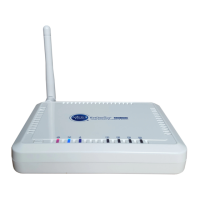
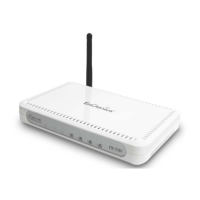
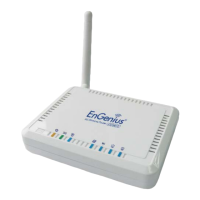
Wireless Broadband Router
Ultra Speed
(IEEE 802.11 b/g)
User Manual
Version: 1.0

Other manuals for EnGenius ESR-9753

Question and Answer IconNeed help?

Do you have a question about the EnGenius ESR-9753 and is the answer not in the manual?

Summary

ESR-9753 Router Overview

Introduction

General introduction to the ESR-9753 Wireless Broadband Router.

Network Setup and Installation

LAN and WAN Connection

Steps to connect the router to LAN and WAN.

Initial Configuration

Bring Up and Smart Wizard

Guides on powering up and using the Smart Wizard.

Web Interface Setup

Details the initial configuration via the web interface.

AP Router Mode Configuration

LAN and DHCP Settings

Configure LAN IP, Subnet Mask, and DHCP server.

Internet Connection Setup

Setup for Dynamic IP, Static IP, PPPoE, PPTP.

Wireless Network Settings

Configure SSID, band, channel, and security.

Advanced Settings and Tools

Repeater Mode Setup

Summary

ESR-9753 Router Overview

Introduction

General introduction to the ESR-9753 Wireless Broadband Router.

Network Setup and Installation

LAN and WAN Connection

Steps to connect the router to LAN and WAN.

Initial Configuration

Bring Up and Smart Wizard

Guides on powering up and using the Smart Wizard.

Web Interface Setup

Details the initial configuration via the web interface.

AP Router Mode Configuration

LAN and DHCP Settings

Configure LAN IP, Subnet Mask, and DHCP server.

Internet Connection Setup

Setup for Dynamic IP, Static IP, PPPoE, PPTP.

Wireless Network Settings

Configure SSID, band, channel, and security.

Advanced Settings and Tools

Repeater Mode Setup

EnGenius ESR-9753 Specifications

General IconGeneral
BrandEnGenius
ModelESR-9753
CategoryWireless Router
LanguageEnglish

Related product manuals