EUB9801 – 300Mbps 802.11 a/b/g/n Dual Band Wireless N USB Adapter
29
3 USB Adapter for MAC OS X
Installing the Drivers
Follow the steps below in order to install the USB adapter drivers:
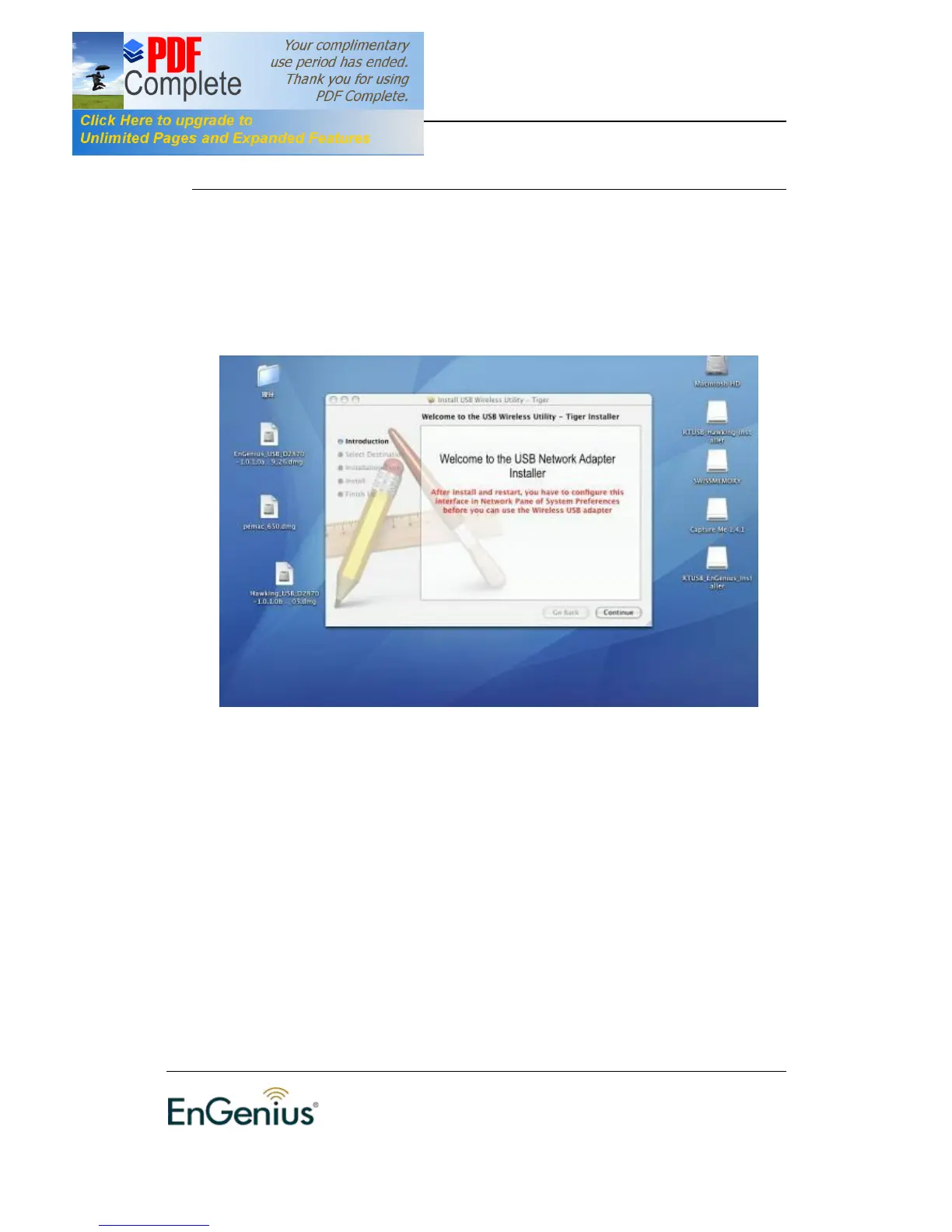
1. Insert the CD-ROM that was provided to you in this package. The setup should
run automatically. If the setup does not run automatically, then you must manually
select the setup file from the CD-ROM drive.
2. Click on the Continue button to configure the next step.


 To Next Page