EUB9801 – 300Mbps 802.11 a/b/g/n Dual Band Wireless N USB Adapter
31
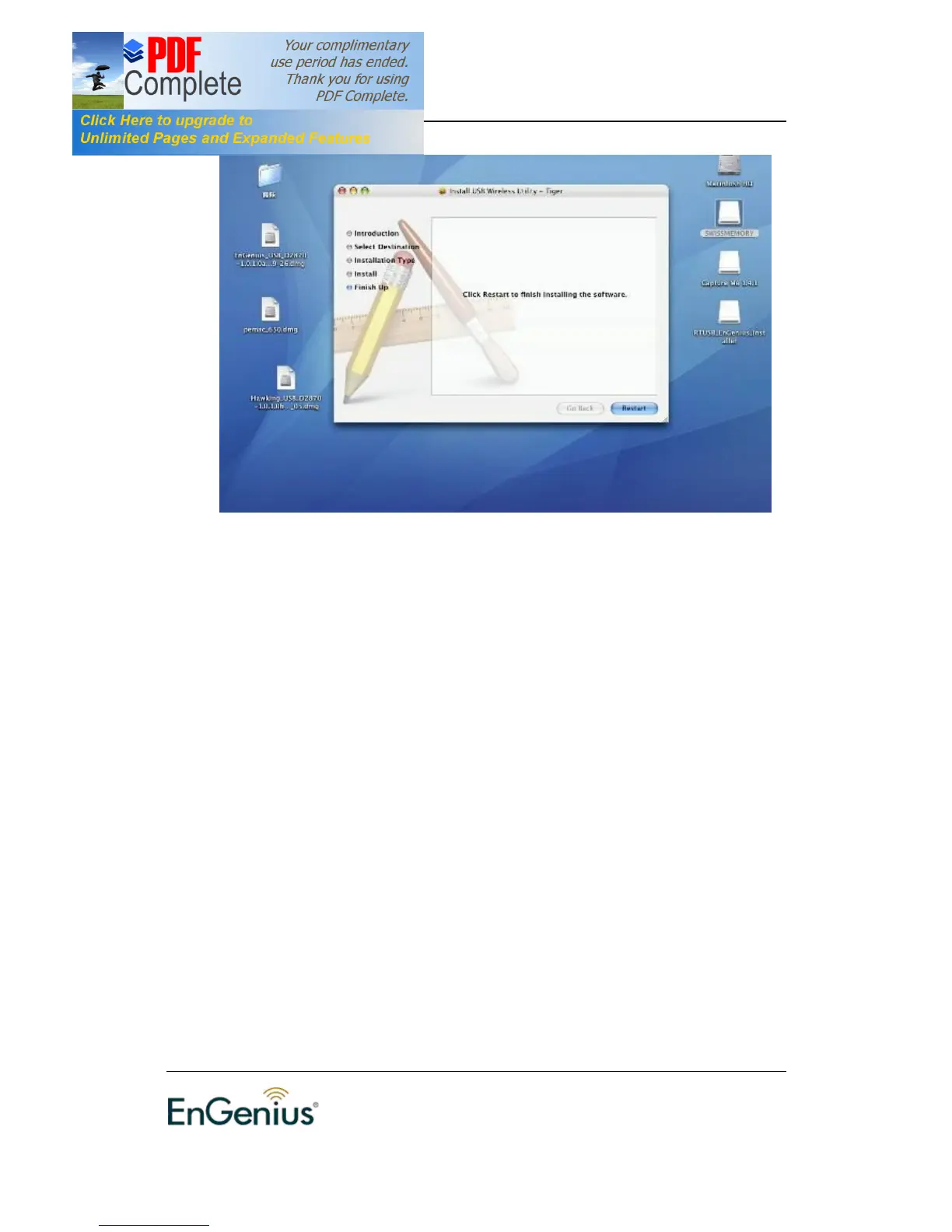
5. The installation is complete. Click on the Restart button.
6. Carefully insert the USB adapter into the USB port. MAC OS X will then detect
and install the new hardware.
7. The Client Utility is installed in the Applications folder.
Profiles
The Profile tab is used to store the settings of multiple Access Points such as
home, office, café, etc. When adding a profile you are required to enter a profile
name and SSID as well as configure the power-saving mode, network type,
RTS/fragmentation threshold and encryption/authentication settings. A profile
can be configured as Infrastructure or Ad-hoc mode. The configuration settings
for each mode are described below.


 To Next Page