EUB9801 – 300Mbps 802.11 a/b/g/n Dual Band Wireless N USB Adapter
41
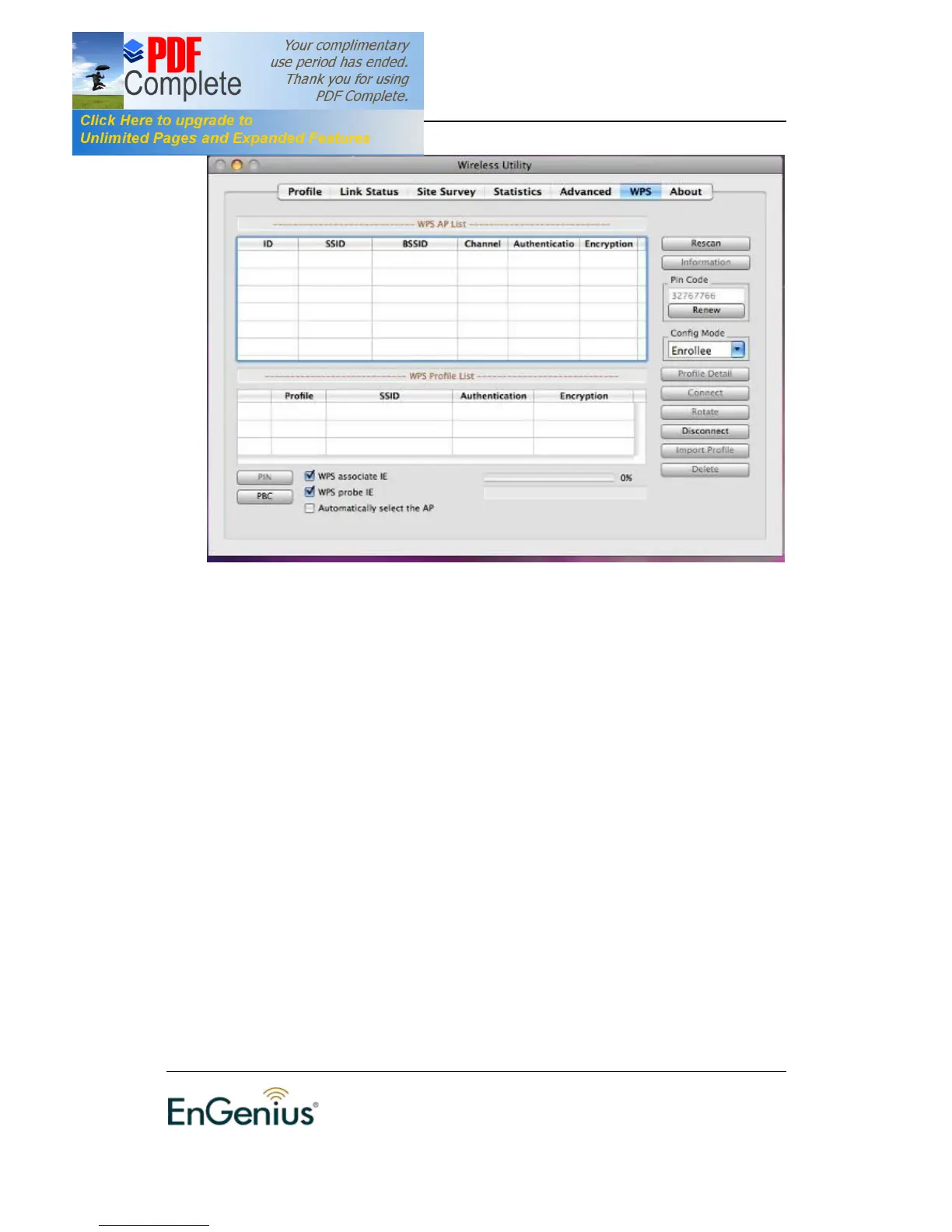
† Rescan: Click on this button to view a list of Access Points in the area.
† Renew: Regenerate a new PIN code
† Config Mode: switch between Enrollee or Registrar
† Profile Detail: show profile of the selected party
† Connect: Click on the AP to start WPS connection with the AP
† Disconnect: Click to terminate WPS connection
† Import Profile: Load pre-stored profile database
† Delete: Remove the selected item


 To Next Page