7Page
6Page
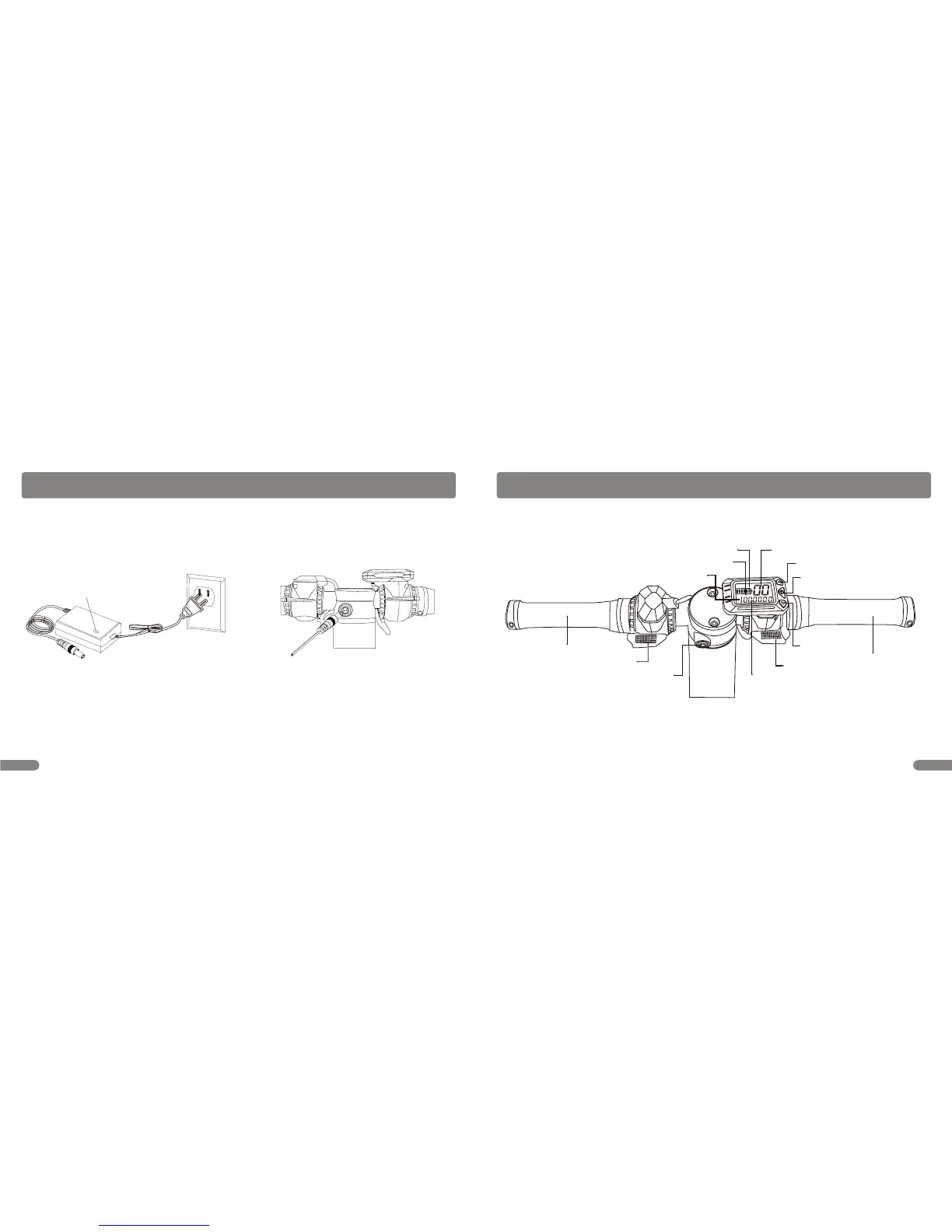
INSTRUMENT INTRODUCTION
Capacity Display
Level Display
Power Switch
Speed Display
Up Button
Down Button
Range Display
Range Data
Charging Port
Hand Brake
Throttle Control
Km/h
DIS
Detachable Handlebar
Detachable Handlebar
CHARGING THE BATTERY
Your electric scooter may not have a fully charged battery; therefore you must charge the battery prior to use.
Charge time: Approx. 2hrs for H3 or 5hrs for H3 Pro when the light turns green.
Always charge the battery immediately when the capacity is below 2levels.
Unplug charger from the wall outlet when not in use.
To ensure long battery life, never store the product in freezing or below freezing temperatures! Freezing will permanently
damage the battery.
Battery life can vary depending on proper maintenance and usage of the unit.
1. Plug the charger plug into wall outlet. The light on the charger should be green.
Note: If green light (LED) does not turn on, try a different outlet.
WARNING: Use ONLY with the recommended charger. Batteries are only to be charged under adult supervision. The charger
is not a toy. Always disconnect the charger before wiping down and/or cleaning the electric scooter with a damp cloth.
Note: If the charger gets warm during regular use, this is a normal response and is no cause for concern. If your charger
does not get warm During use, it does not mean that it is not working properly.
2.Plug the charger into the charger port. Make sure the power
switch is in the OFF position. The light on the charger should
turn red during charging. The light will turn green again when
charging is complete.
LED light


 To Next Page