Issue%1% % % % % ENKI®%
WWW.HOUSEOFENKI.COM
!
OPERATION & SETTING
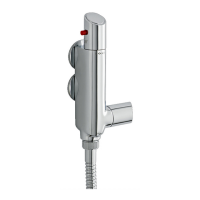
To control the temperature of the shower, turn the top handle anti-clockwise for more hot water and
clockwise for colder water.
The shower is set with a stop temperature (red button) of 38°C, if this is not hot enough the user can
override this by pressing the red button and turning the handle.
To control the flow of water turn the side handle to regulate the flow of water from the shower.
If on installation the temperature is not to your requirement, this can be re-calibrated:
§ Turn temperature handle to the stop.
§ Remove the handle cap 19A, followed by screw 1A.
§ Pull handle 21 from mixer.
§ Turn the spindle on the thermostat until the desired temperature is reached.
Once the temperature is reached, replace the handle so that the stop is in the maximum
position, replace screw and handle cap.
NOTE: always maintain the 10°C difference between supply and mixed
NOTE: re-calibration should only be carried out when absolutely necessary


 To Next Page