

EasyManua.ls Logo

Enseo EBS-SP35 - User Manual

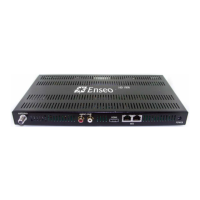
Enseo EBS-SP35
21 pages
Print Icon
To Next Page IconTo Next Page
Loading...
21
Copyright 2006 – Enseo, Inc.
1
Sony EBS-SP35
User Guide
Enseo, Inc.
401 International Parkway
Suite 100
Richardson, Texas 75081
www.Enseo.com
Question and Answer IconNeed help?

Do you have a question about the Enseo EBS-SP35 and is the answer not in the manual?

Summary

Hardware Setup

Setting Up the EBS-SP35; Making Connections

Details the physical connections required to set up the EBS-SP35 with Sony displays.

Menus; Configuration

Navigating the EBS-SP35 Menus

Accessing the Set Up Menu

Outlines the process of accessing and using the main setup menus for the EBS-SP35 via remote control codes.

Channel Options

Switch-On Options

Control Options

Captioning Options

V-Chip Options

V-Chip Settings and Access

Manages V-Chip persistence, menu accessibility, access code, and default rating limits.

Service Options

Firmware Updates and System Status

Covers channel setup for updates, manual initiation, and viewing system status.

Factory Settings Restore

Resets the EBS-SP35 to its original factory default configuration and settings.

OPERATION

Operational Modes and Display Control

Details lodging/standalone modes and how the EBS-SP35 controls the Sony display.

TROUBLESHOOTING AND FAQ

Common Troubleshooting Scenarios

Addresses blank screens, no input, and remote control unresponsiveness issues.

Product Specifications

EBS-SP35 Technical Specifications

Presents a detailed list of the EBS-SP35's technical specifications and features.
Summary

Hardware Setup

Setting Up the EBS-SP35; Making Connections

Details the physical connections required to set up the EBS-SP35 with Sony displays.

Menus; Configuration

Navigating the EBS-SP35 Menus

Accessing the Set Up Menu

Outlines the process of accessing and using the main setup menus for the EBS-SP35 via remote control codes.

Channel Options

Switch-On Options

Control Options

Captioning Options

V-Chip Options

V-Chip Settings and Access

Manages V-Chip persistence, menu accessibility, access code, and default rating limits.

Service Options

Firmware Updates and System Status

Covers channel setup for updates, manual initiation, and viewing system status.

Factory Settings Restore

Resets the EBS-SP35 to its original factory default configuration and settings.

OPERATION

Operational Modes and Display Control

Details lodging/standalone modes and how the EBS-SP35 controls the Sony display.

TROUBLESHOOTING AND FAQ

Common Troubleshooting Scenarios

Addresses blank screens, no input, and remote control unresponsiveness issues.

Product Specifications

EBS-SP35 Technical Specifications

Presents a detailed list of the EBS-SP35's technical specifications and features.

Enseo EBS-SP35 Specifications

General IconGeneral
BrandEnseo
ModelEBS-SP35
CategoryTuner
LanguageEnglish

Related product manuals